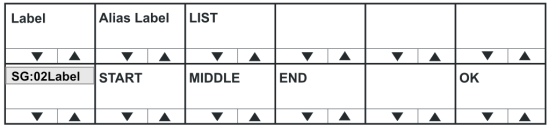
Sort Group Menu Options
| Menu option | Description / comments |
|---|---|
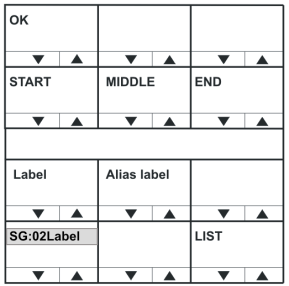
| START | Takes you to the start of the current Sort Group. |
| MIDDLE | Takes you to the middle of the current Sort Group. |
| END | Takes you to the end of the current Sort Group. |
| OK | Press the OK key or talk button to select the port label to be configured. |
The Reply key displays the label of the selected Sort Group. The top row shows the first member of the sort group. Pressing and releasing the down button (lever key and pushbutton panels) or turning the rotary control anticlockwise on the Reply key will step down through the Sort Group towards the end of the Sort Group.
Pressing and releasing the up button (lever key and pushbutton panels) or turning the rotary control clockwise on the Reply key steps you up through the Sort Group.
Pressing the OK key or talk button to selects the port label to be configured.
Setting the Output Levels for the selected label
The +0 dB represents the output level for the audio source of the label and may be adjusted using the up and down buttons below the level display or the rotary encoder.
Select the RESET key or talk button to reset the output levels to the default of 0dB. Pressing the Reply key or Reply key talk button (OUTPUT LEVEL) will return you to the Sort Group menu.
When you set the output level for an audio source, you are setting the input levels for the entire matrix and not just an individual panel.
Input and output settings can only be made for the local matrix. Gains for other matrices can be achieved within EHX.