Level
The level command enables you to change the internal level (volume) controls.
Display 2 shows the controller name.
Display 3 shows the controller value.
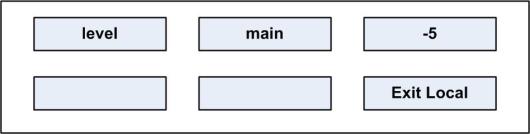
Five level options shown in display 2 can be set using the up/down buttons (lever key and pushbutton panels) or the rotary encoder and talk button (rotary panels).
The level options are:
| Level options | Description / comments |
|---|---|
| main | Main internal level (volume) controller |
| aux | Auxiliary internal level (volume) controller |
| st1 | Sidetone 1 internal level (volume) controller |
| st2 | Sidetone 2 internal level (volume) controller |
| po | Page override controller |