LOCAL PREF (Local Preferences) menu
Select the LOCAL PREF (Local Preferences) menu option from the main menu to display the panel setups that may be changed locally rather than in EHX.
If the PIN code has been enabled in EHX, the panel will request PIN code entry before allowing access to the local preferences menu.
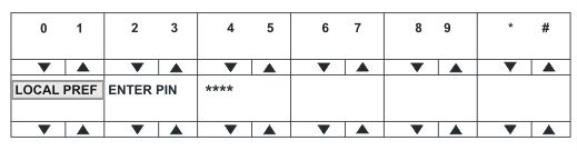
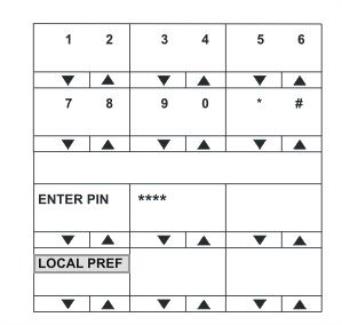
On lever key and pushbutton panels enter the PIN code using the volume up/down buttons under each number. On rotary panels, press the rotary control to select the left hand digit and the talk button to select the right hand digit in the display.
The PIN code digits will be echoed as X in the PIN code entry window.
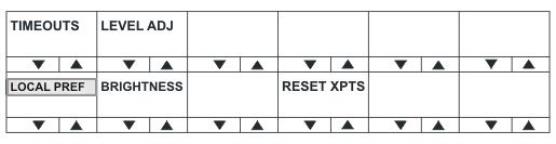
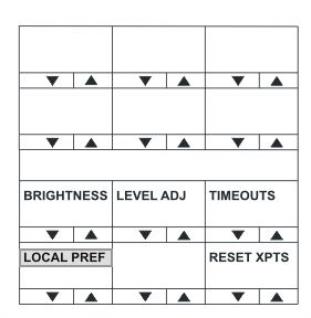
The LOCAL PREF menu provides access to the following menu items:
| Menu option | Description / comments |
|---|---|
| TIMEOUTS | Displays the timeouts setting menu. |
| LEVEL ADJ | Displays the menu to set the audio levels for the microphones, headset and loudspeaker. |
| BRIGHTNESS | Displays the brightness setup menu that allows the brightness of all labels and LEDs to be adjusted. |
| RESET XPTS | Displays the menu for resetting the panel crosspoints to default level. |
To return to the main menu, press the Reply key / Reply key talk button (LOCAL PREF).