Device discovery
To use the device discovery feature navigate to EHX>Hardware>IP panels.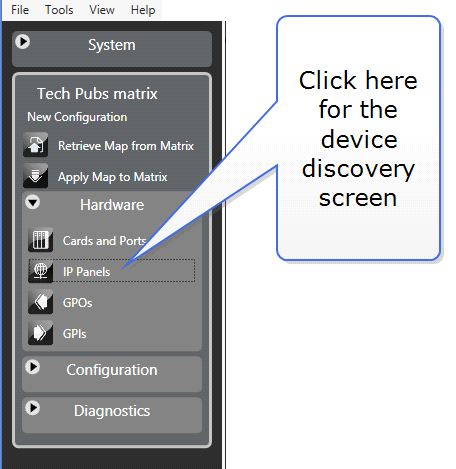
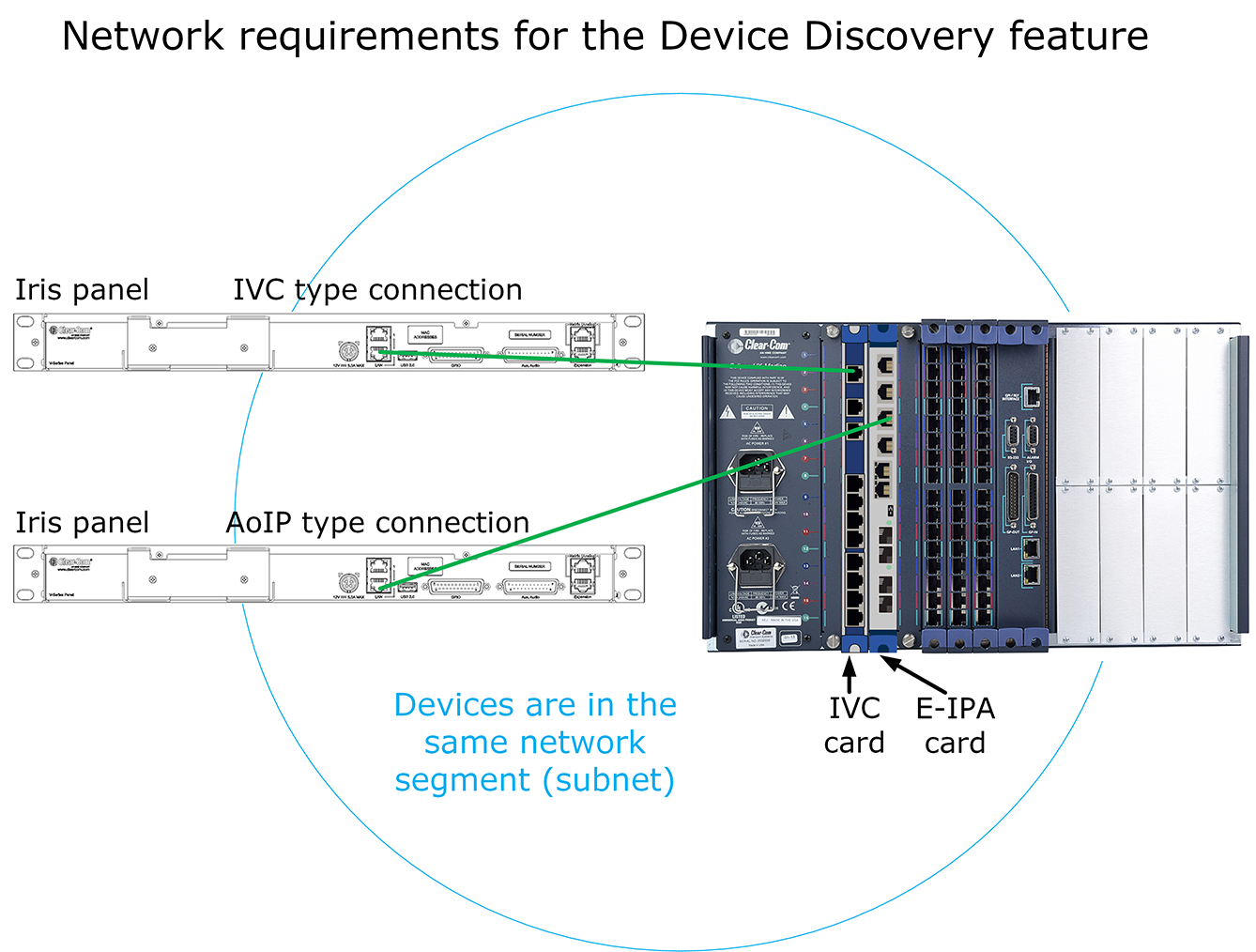
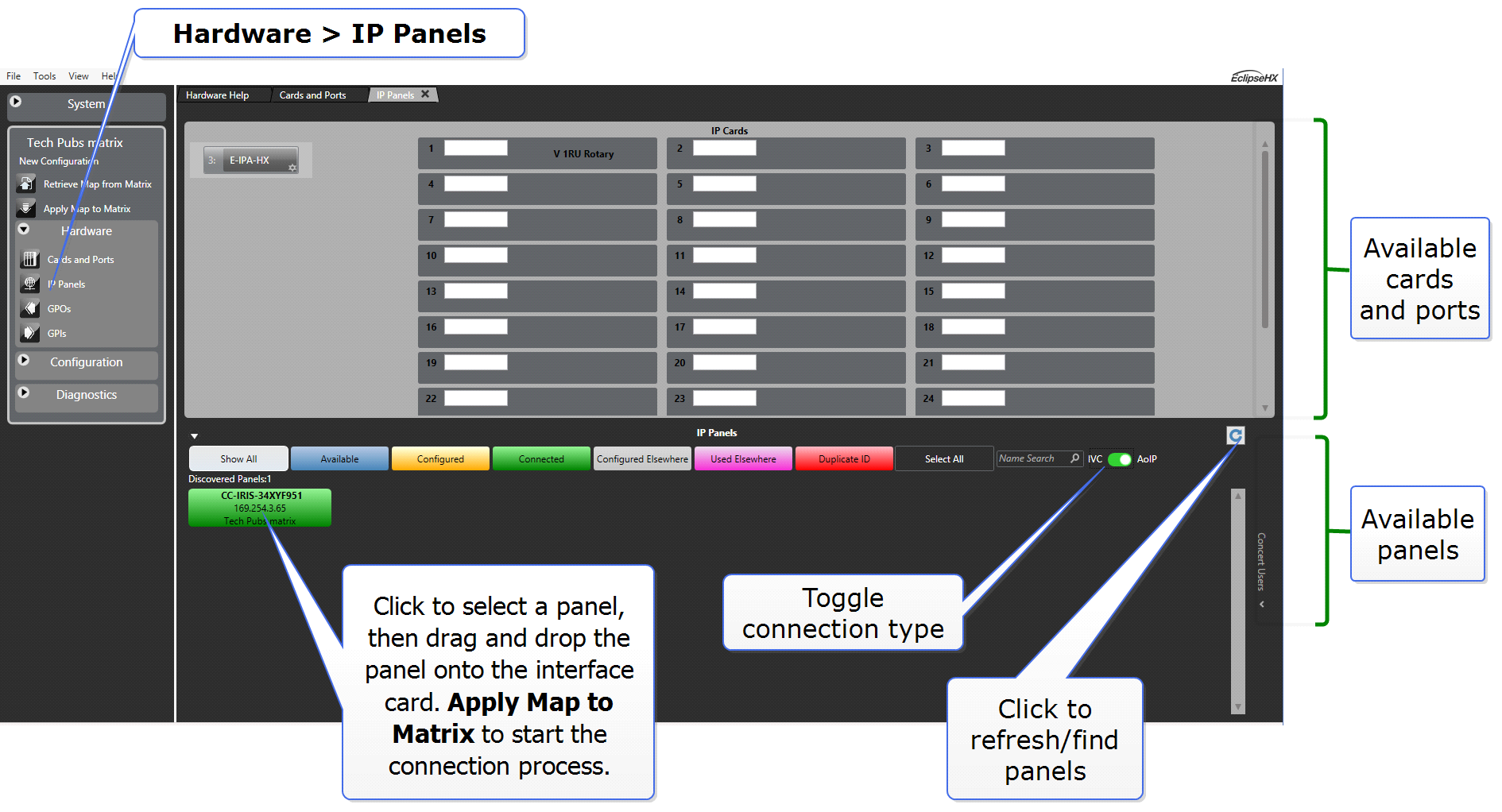
Device discovery can be used for all IP devices and IP connection types (AoIP and IVC). Use this screen in EHX to discover and automatically connect Iris panels to a matrix.
| Note: | Do not use device discovery to connect remote Iris panels. To connect Iris panels across subnets you must input the connection credentials (User ID and Password) for the panel manually. See Accessing the IP configuration menus |
For device discovery to work, the devices must be in the same broadcast segment or subnet.
How to use the device discovery feature
| Note: | You can drag and drop the panel onto either the card or a port slot. 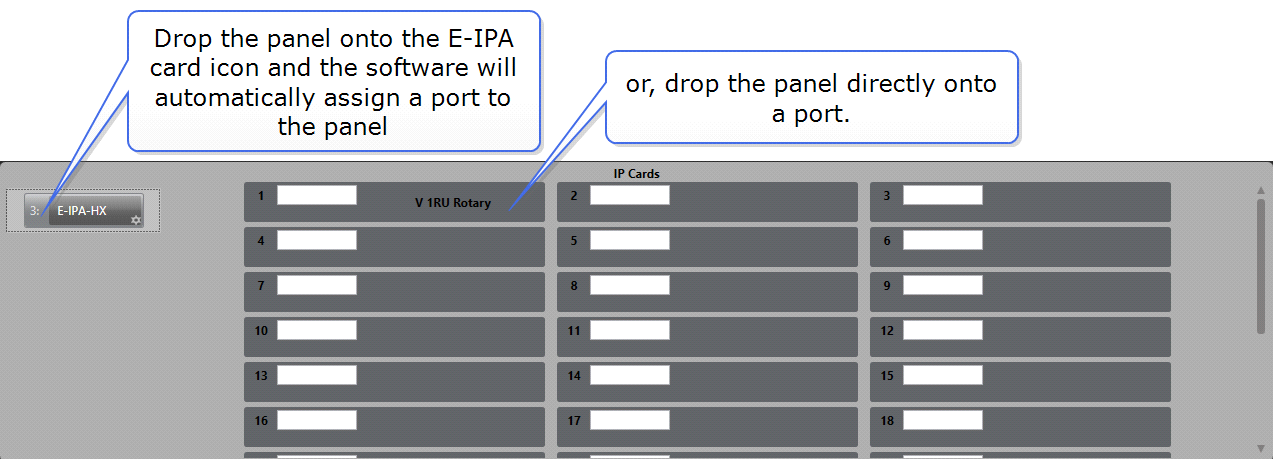 |
| Note: | If you drop a panel onto an existing panel on the card, the new panel takes the configuration of the old panel. This action will clone the configuration of the previous panel. |