DIAGNOSTIC menu
The DIAGNOSTIC menu is accessed from the top level menu.
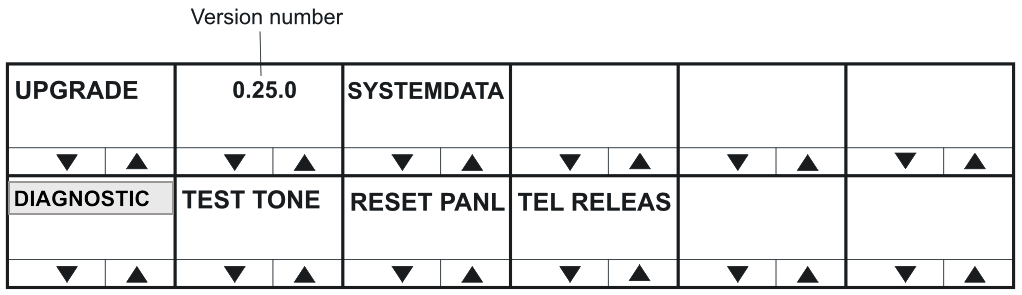
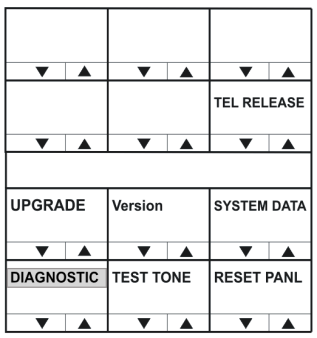
The DIAGNOSTIC menu options are as follows:
| Menu option | Description / comments |
|---|---|
| SYSTEMDATA | Displays the system data menu. |
| TEST TONE | Selecting TEST TONE turns the LED indicator red and sends a 1KHz test tone to the matrix output. Selecting Test Tone again disables the tone, and turns off the red LED. Exiting the DIAGNOSTIC menu also turns off the test tone. |
| RESET PANL | Selecting RESET PANL resets the panel to factory defaults. It will also delete all locally assigned keys and reset all crosspoint levels to the factory default (0dB). Panel brightness is reset to the brightness level configured for that panel in EHX. |
| TEL RELEAS | Selecting TEL RELEAS returns the user to the Direct Access Key (DAK) page. If a telephone key is pressed the line is released. Note: The panel must also have Line Release enabled in EHX for this to take effect. This function can also be performed using the up/down volume control buttons or rotary control. |
| UPGRADE | Only displayed if an update is available from the matrix. Selecting this option displays the UPGRADE menu. |
| Note: | To return to the top level menu, press the Reply key or Reply key talk button (DIAGNOSTIC). |
Version numbers and IP address
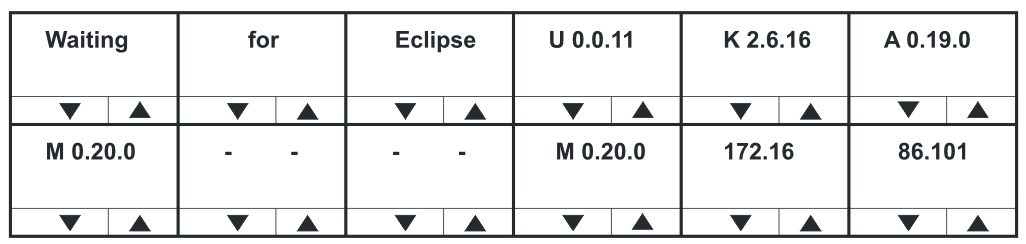
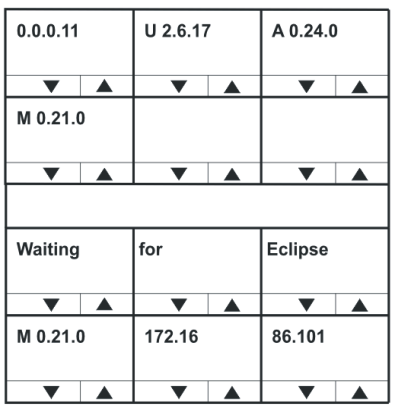
The version number displayed in the DIAGNOSTIC menu is for the panel application only. To obtain the version numbers of all panel firmware and the IP address of the V-Series panel, you must take the panel off line. The information given is as follows:
| Example diagnostic information | Description / comments |
|---|---|
| M 0.20.0 | Module application code version |
| U 0.0.11 | Panel boot loader version |
| K2.6.16 | Panel kernel version |
| A0.19.0 | Panel application version |
| 172.16.86.101 | Panel IP address (if set, otherwise blank). |
| Note: | The version and IP address information is for main panels only. Expansion panels do not display this information. You can also access version information through EHX. |