Determining coverage areas
After the transceivers and splitters (if present) have been initially set up proceed to test the coverage areas and re-locate transceivers and splitters, if necessary, for optimal coverage.
The following figure illustrates some FreeSpeak II coverage scenarios.
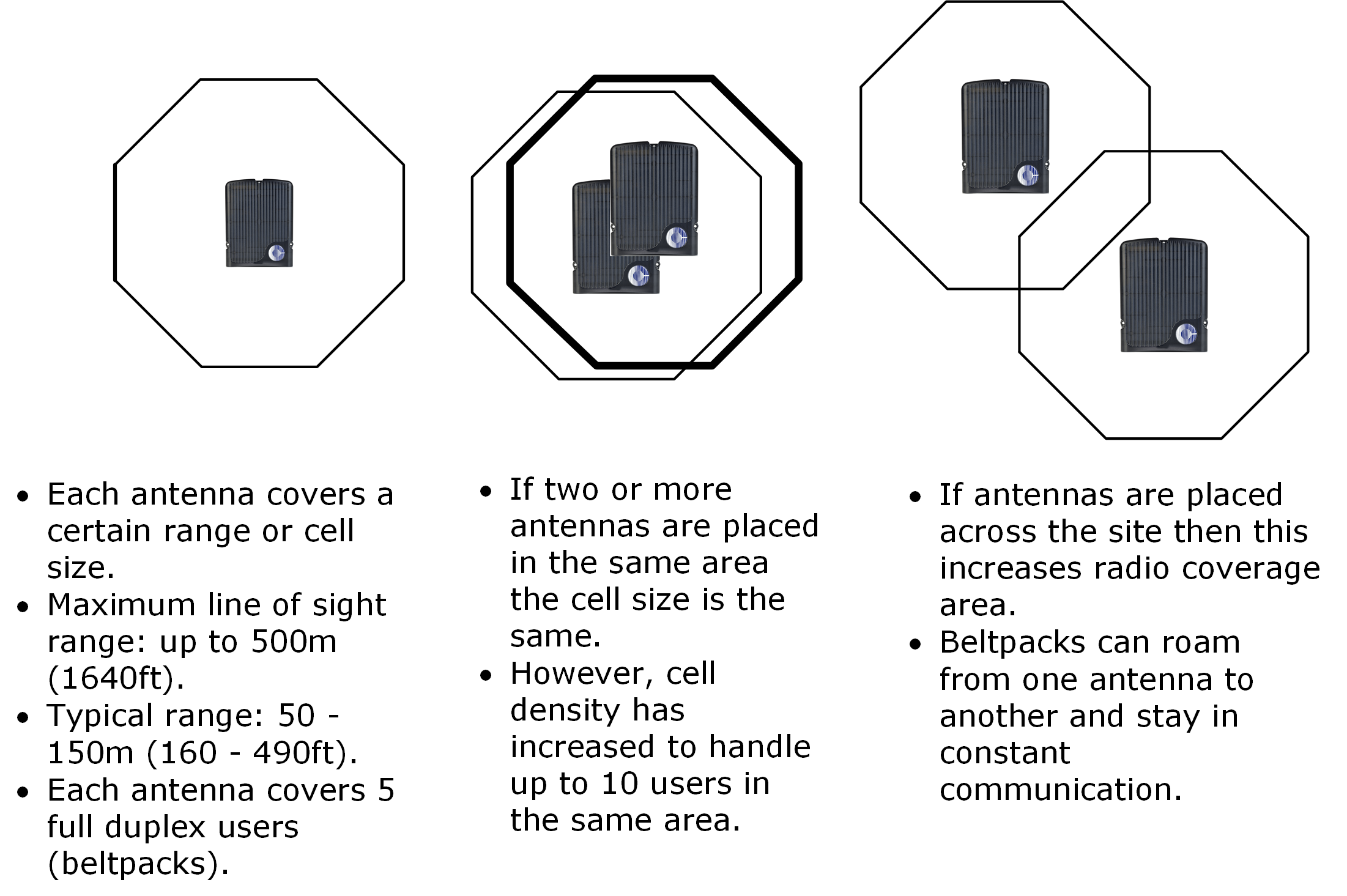
| Note: | Cells can be completely overlapped for density (by co-locating multiple transceivers). Cells can be overlapped at boundaries (increases radio coverage). For most working systems Clear-Com uses a ratio of 3-4 (1.9GHz) or 2-3 (2.4GHz) users per transceiver. This is to allow seamless roaming in all scenarios. |
| Note: | Under ideal conditions, the maximum range between an FS II beltpack and a transceiver is 500 metres. Typical distances are between approximately 50 metres (about 160 feet) and 150 metres (about 490 feet), depending on the particular environment. |
To determine coverage areas
When the matrix, splitter(s), and transceivers have been placed and wired, turn on an FS II beltpack (assuming that it has been registered with the system) and walk the coverage area.
Alternatively, use the Site Survey mode on the beltpack (see Doing a site survey to determine coverage areas below). It is often best to begin with one transceiver in place, and then place additional units to enhance coverage.
Walk through all of the areas where beltpack users will typically be moving, and note any areas of weak signal, dropout, or disconnection from the system. Pay special attention to the overlap areas between transceiver coverage zones, making sure sufficient signal strength is there from each of the transceivers to make a clean handoff between them for the beltpack.