E1 Trunk and Direct Modes
The E-Que interface card can be used for both direct E1 to E1 port connections or to provide trunk linking via a network between systems. The E1 connections can be made between Eclipse HX systems or between Eclipse HX systems and compatible third-party equipment. E1 mode provides 30 channels of G.711 or G.722 encoded audio available on each of ports 1 and 5, giving 60 channels per card.
The E1 specifications are:
-
HDB3 Encoding.
-
Long Haul Receive Signal Level.
-
E1 120 Ohm Transmit Pulse Amplitude.
-
Balanced.
-
120 Ohm Line Impedance.
-
No Signaling.
-
G.711 or G.722 64 kbit/s Audio Encoding.
-
Tx Clock locally generated.
-
Rx Clock Line Recovered.
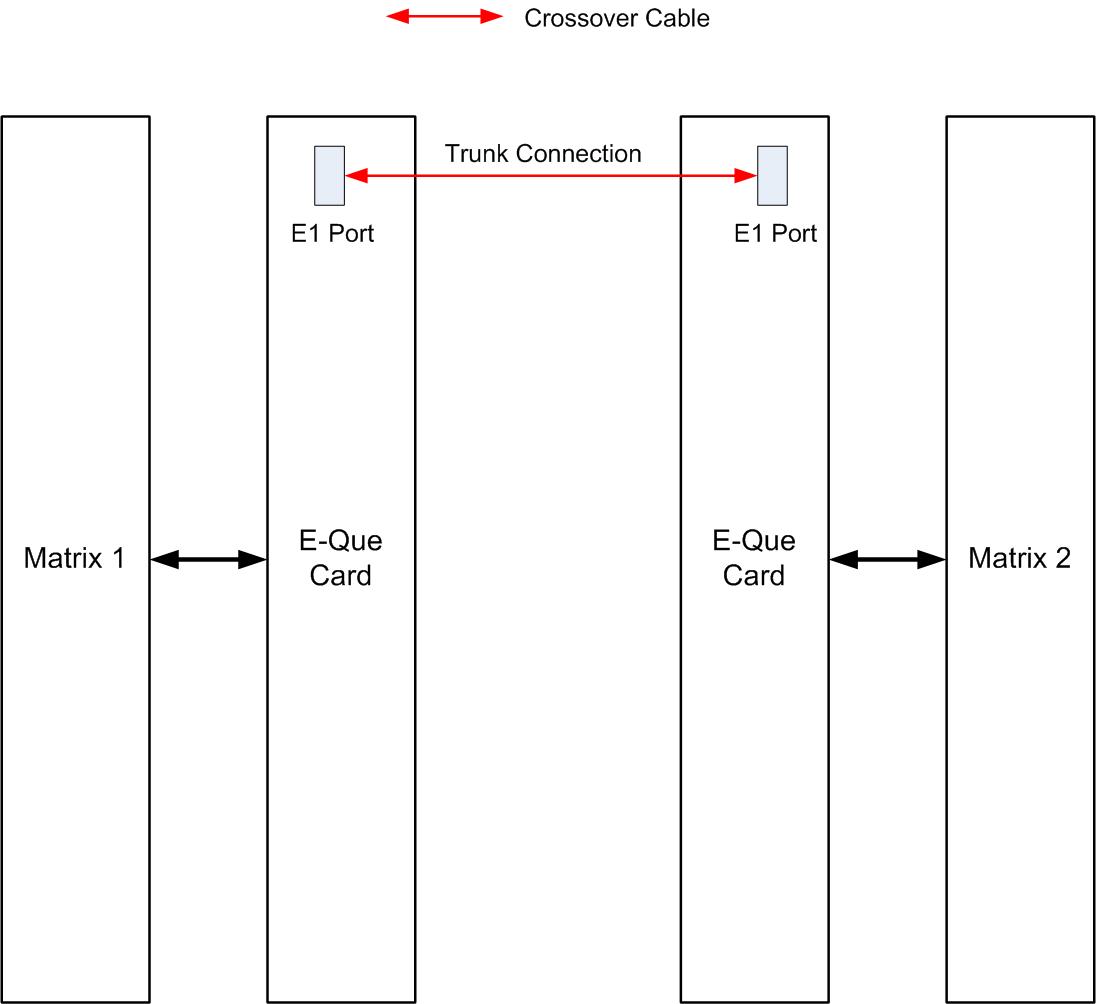
The following diagram shows E1 trunking using a direct connection between the matrices using a CAT-5 crossover cable. The E-Que interface should be set to E1 Direct in EHX hardware setup.
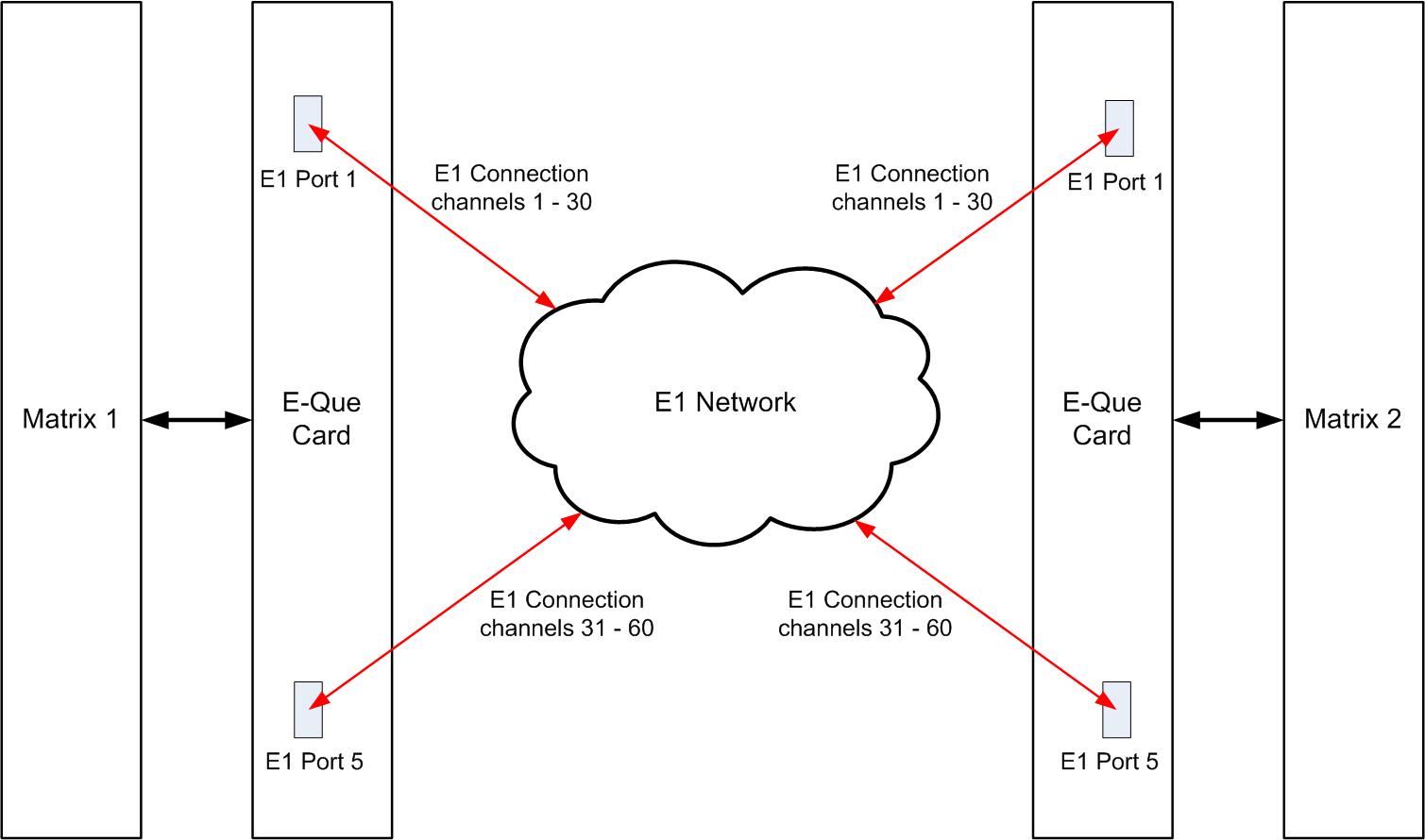
E1 trunking between matrices can also be achieved over an E1 network, as shown in the diagram below.
In this case E1 ports 1 and 5 of the E-Que interface are connected using standard straight-through CAT-5 cables rather than crossover CAT-5 cables.
The E-Que interface can also be used to connect the matrix to third party equipment using E1 port 1 or 5.
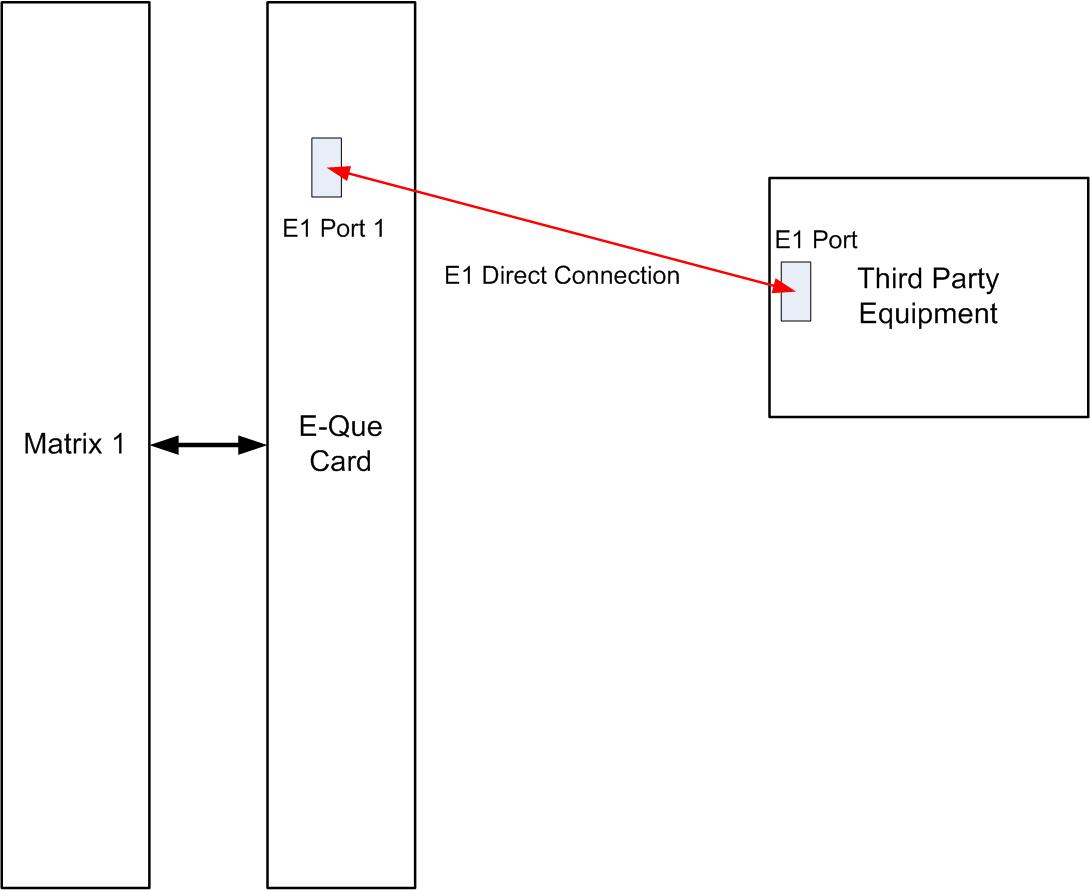
The CAT-5 cable connecting the E1 port on the E-Que rear card may be a crossover cable or a straight-through cable depending on the requirements of the third party equipment. The E-Que interface should be set to Direct in EHX.