Voice Operated Switch (VOX) Options
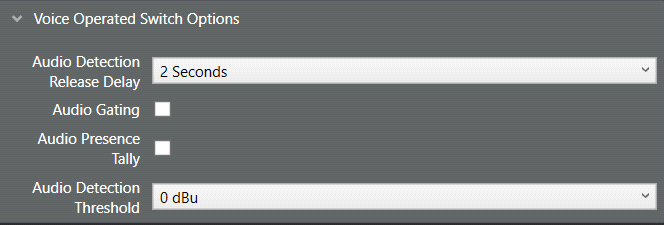
Four settings are available under Port Properties > Voice Operated Switch. These settings determine how the audio gate operates.
-
Audio Detection Release Delay determines how quickly the audio gate closes when the operator stops speaking. Adjust this value so that the audio gate does not close too early and cut off words at the end of sentences or during small gaps.
-
Audio Gating turns the audio gate function on or off. By default, this setting is off. This function gates (performs a logical AND) on the crosspoint and the VOX detection threshold. If the crosspoint is made from the port and the input VOX level exceeds the detection threshold, then audio is passed to the port.
-
Audio Presence Tally (also known as VOX tally) causes a panel’s listen key to flash on a panel whenever audio above the set threshold level is detected.
-
Audio Detection Threshold sets the audio level at which the audio gate opens. Typically, the threshold value is set at the level of a human voice, so that when a person speaks into the microphone, the audio gate switches open to allow audio onto the intercom line. When the person stops speaking, the gating delay passes and the gate closes, even if background noise is present.
Recommended levels are -3dB for panels and -20dB for interfaces.
If the VOX control option is configured, the control activates when the gate opens.