Setting the Port Function
To set the port function:
-
Click the Port Function field. A drop-down menu is displayed.
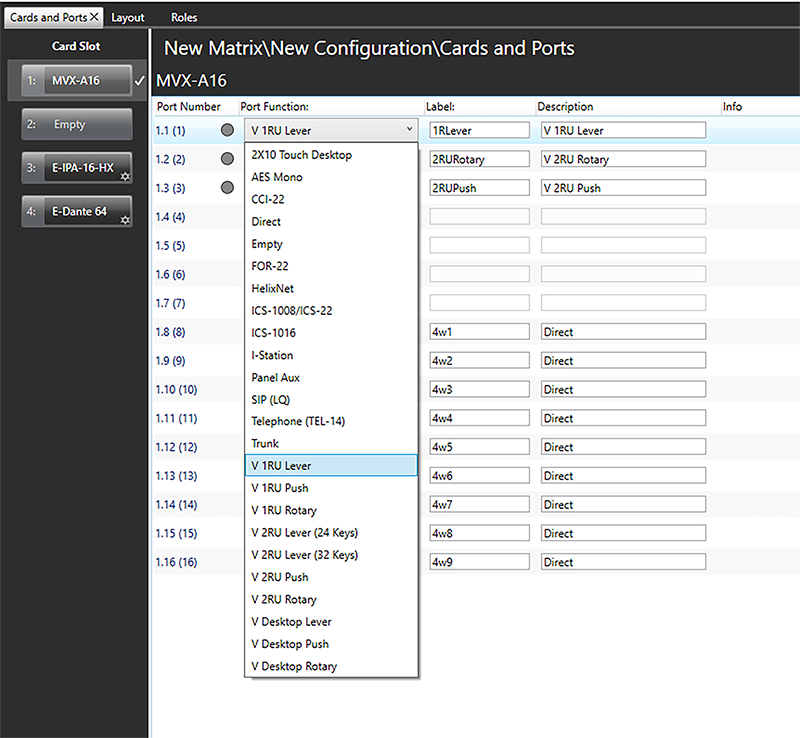
-
From the drop-down menu, select the desired device (user panels and interfaces that may be connected to the port).
The available device types are listed below:
|
|
|
|---|---|
| 2X10 Touch Desktop | V 1RU Lever |
|
AES Mono |
V 1RU Push |
|
CCI-22 |
V 1RU Rotary |
| Direct | V 2RU Lever (24 keys) |
| Empty | V 2RU Lever (32 keys) |
| FOR-22 | V 2RU Push |
|
HelixNet |
V 2RU Rotary |
|
ICS-1008/ICS-22 |
V Desktop Lever |
|
ICS-1016 |
V Desktop Push |
|
I-Station |
V Desktop Rotary |
|
SIP (LQ) |
|
|
Panel Aux |
|
|
Telephone (TEL-14) |
|
|
Trunk (matrix to matrix network trunk line) |
|
| Notes: | You can configure a port for an ICS-22 panel. See ICS-22 Panels. |
| If you right-click on a port and select Find Usages, a list of other EHX entities which refer to the port is given. |