Apply Changes to all Matrices
-
Select System > Apply Changes to all Matrices to apply a configuration to all matrices in the system. Clicking this function opens the following dialog. The dialog includes reset options.
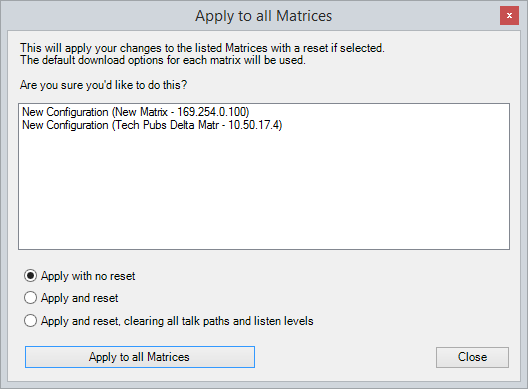
The reset options comprise:
-
Apply with no reset. The configuration is applied without resetting the matrices in the system.
-
Apply and reset. The configuration and a red reset are applied to the matrices after applying (the matrices and any crosspoints are reset, and Talk/Listen paths are remade).
-
Apply and reset, clearing all talk paths and listen levels. The configuration and a black reset are applied to the matrices after applying the map (the configuration is applied, the matrices are reset, and active routes and local assignments are cleared).
-
Select an option. To continue, click Apply Changes to all Matrices.
| Note: | When you apply changes to all matrices without a reset, the changed configuration is applied to each matrix in parallel. However, the configuration on each matrix is processed sequentially, from low matrix ID number to high matrix ID number. |