Apply Map to Matrix
-
Select Tools > Apply Changes To Matrix.
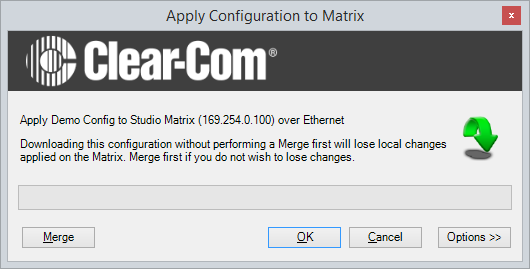
When this function is selected, a dialog is displayed to confirm the action.
-
To continue, click OK. To cancel, click Cancel.
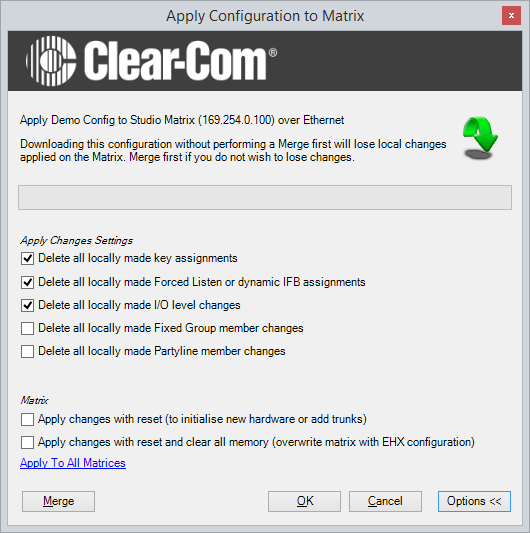
The options button displays a further dialog allowing the user to set up actions after the apply.
-
Select Merge to allow the current EHX configuration to be merged with the matrix configuration before applying the map. Use this facility if the rack configuration has been changed because of making changes in EHX Go Live mode or from assignment panels.
-
Select the required option (or options) and then click OK to continue applying the map.
The configuration is built and applied to the matrix.