Eclipse HX Configuration Software (EHX)
The Eclipse HX configuration software (EHX) controls the operation of the system’s connected audio devices, using a configuration (sometimes called a configuration map) that is applied to the matrix.
A matrix and connected devices operate in a star configuration, with each device connecting back to the matrix directly. Audio signals are routed through the central matrix and out to the connected audio devices in accordance with the configuration created in EHX.
EHX can also be used to monitor the matrix for faults and to log errors for analysis.
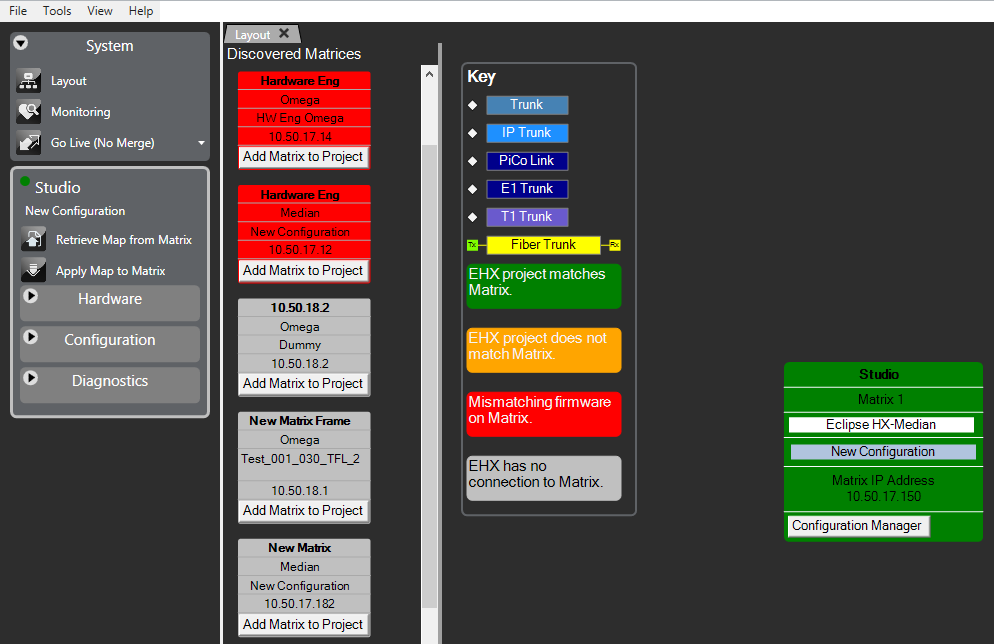
The EHX software comprises a graphical user interface with a main screen that is divided into two parts:
-
The Menu pane – This is located on the left of the EHX main screen. It contains the System, Hardware, Configuration and Diagnostics dropdown menu lists.
-
The System pane – This is located on the right of the EHX main screen. It contains a graphical representation items selected from the Menu pane.
Various menu items may be highlighted amber to indicate possible configuration issues:
|
Menu |
Highlighted when … |
|---|---|
|
System |
There is an open project, but not an open configuration. There is an open configuration, but the matrix type is not set. There are multiple matrices in the system but the fiber ring is judged to be incorrect. |
|
Cards and Ports |
There are no ports configured for a matrix. |
|
IP Panels |
There are IP cards but no ports configured. |
|
Beltpacks |
There are antennas but no beltpacks |
|
Panels |
There are configured panels but no configured keys. There are key groups which do not have members. |
|
Controls |
There are speed dials but no controls. |
Layout and monitoring key
The layout and monitoring key gives status information about:
-
Trunks
-
Matrix firmware
-
EHX to matrix connection
-
EHX to matrix configuration matching
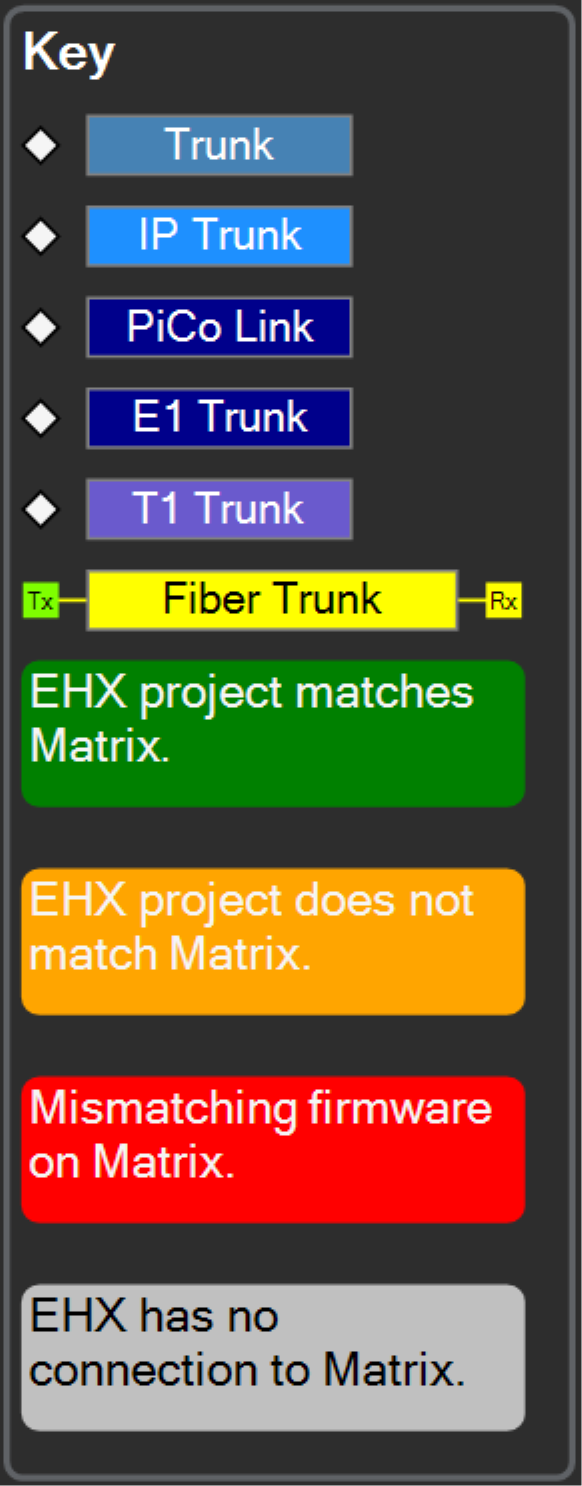
It is located in the System pane. To view the key, select Tools > Settings > Display Layout and Monitoring Key.
Status LEDs also appear next to the Matrix Name in the side bar. The Top LED replicates the colour shown in the layout screen. The Bottom LED replicates the colour in the monitoring screen.
| Note: | The Bottom LED only displays if the Monitoring screen is open. |
In this instance the matrix has non-matching map and missing or errored hardware.