Matrix Ethernet Operation
The Eclipse HX-Omega, Eclipse HX-Median and Eclipse HX-Delta CPU card Ethernet ports are normally connected to a LAN and used to communicate with clients such as EHX and Dynam-EC. The Ethernet port functionality depends on the IP address setup.If an IP address of 0.0.0.0 is configured on the second Ethernet port, it is not used for Tx or Rx. This is the default setup if the default IP address is set as described above.
Ethernet is the recommended connection type for all applications. Serial connections are limited to a single matrix, have a limited range of functionality and should only be used for backup purposes.
If the redundant Ethernet mode is enabled, all matrix to matrix traffic is sent out on both Ethernet ports. This applies to both directed and broadcast packets. All matrix to matrix traffic is also received on both Ethernet ports. If the traffic is transaction related, the second (duplicate) message received is not consumed, but simply dropped.
The matrices listen for client connections on both Ethernet ports. Once the connection is made it is added to the list of connections to service. Broadcast type Tx data is duplicated out on each connection (for example, an HCI connection to the matrix from third-party applications).
The EHX PC makes a connection on either the main or backup Ethernet port of each system in the linked set. If both are up, this defaults to the primary port. If connection is lost to the currently active port on a matrix, EHX swaps over to using the other Ethernet port. If this connection is lost only on one matrix in a linked set, the others are not affected.
| Note: | Matrices are shipped DHCP enabled, and with a default address. If there is no valid DHCP server, the address can be set manually. Right-click on the matrix (which can be connected either by a serial or Ethernet connection), select Change IP Settings, and enter the new IP details. |
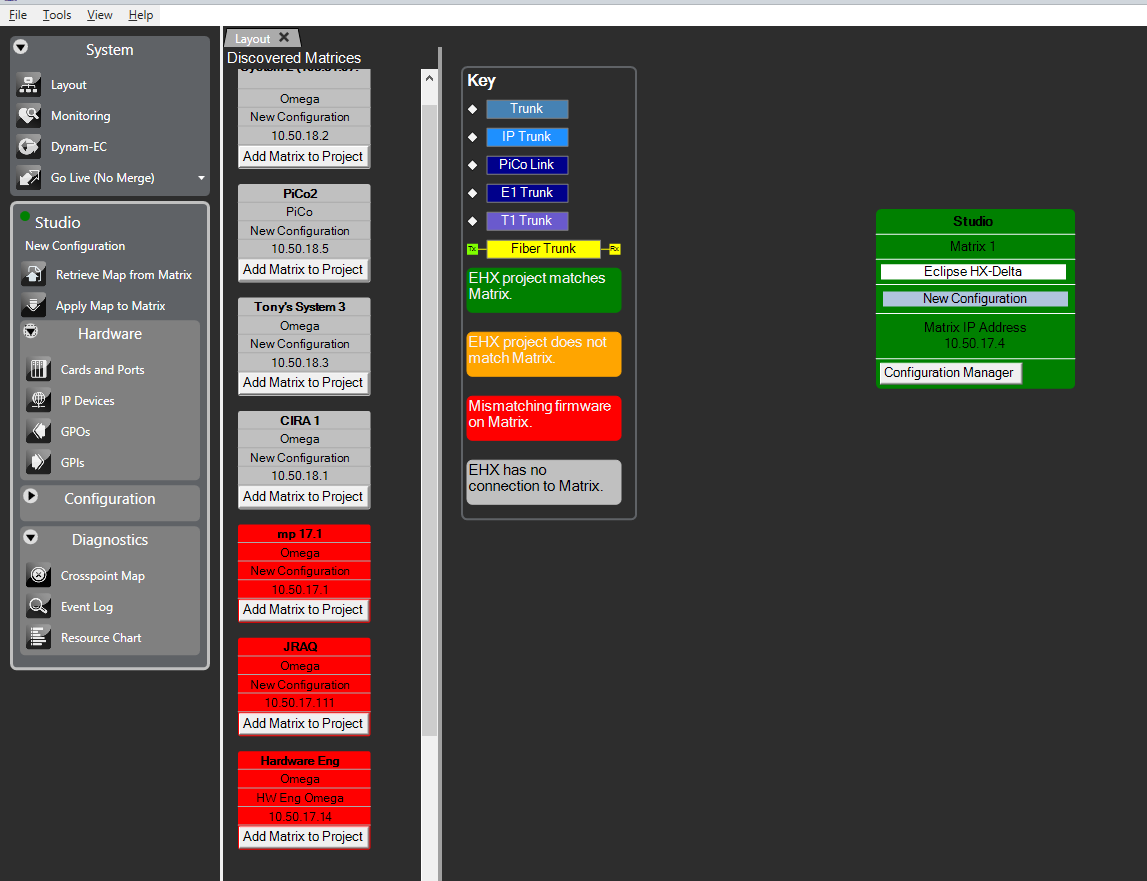
Right-click the matrix and select Change IP Settings.
Configuration restrictions using dual LAN mode
The network ID (subnet) on the first Ethernet port must be different from that of the second port. The network ID is defined by the IP address and the network mask for the port.
For example:
A network address of 172.16.2.1 and a mask of 255.255.0.0 give a network ID of 172.16. Therefore, in this scheme the second port could not have an IP address starting with 172.16. (but could be 172.17.xx)
If the network mask is extended to 255.255.255.0 the network ID becomes 172.16.2. This means that the second port could have an address of 172.16.3.1 and a mask of 255.255.255.0, giving a network ID of 172.16.3 for the second port.
| Note: | If both Ethernet ports are set up with the same network ID, this condition results in data loss on one or both Ethernet ports. |
Clear-Com does not recommend Ethernet redundancy and the use of a default gateway. An IP address and gateway combination on an Ethernet port means that all Tx traffic to any address is possible on the port. Traffic that matches the other Ethernet port can therefore be sent out on the wrong port. If Ethernet redundancy mode is enabled, then no gateway settings should be entered for the matrix IP settings, and the network ID (subnet) on the first Ethernet port must be different from that of the second port.