LQ Trunks – Eclipse Omega/Median/Delta to PiCo
You can configure a port on an IVC-32 card as an LQ trunk, and use this trunk to link to any 4-Wire trunk port, including a PiCo matrix, via an LQ Series device, as shown below.
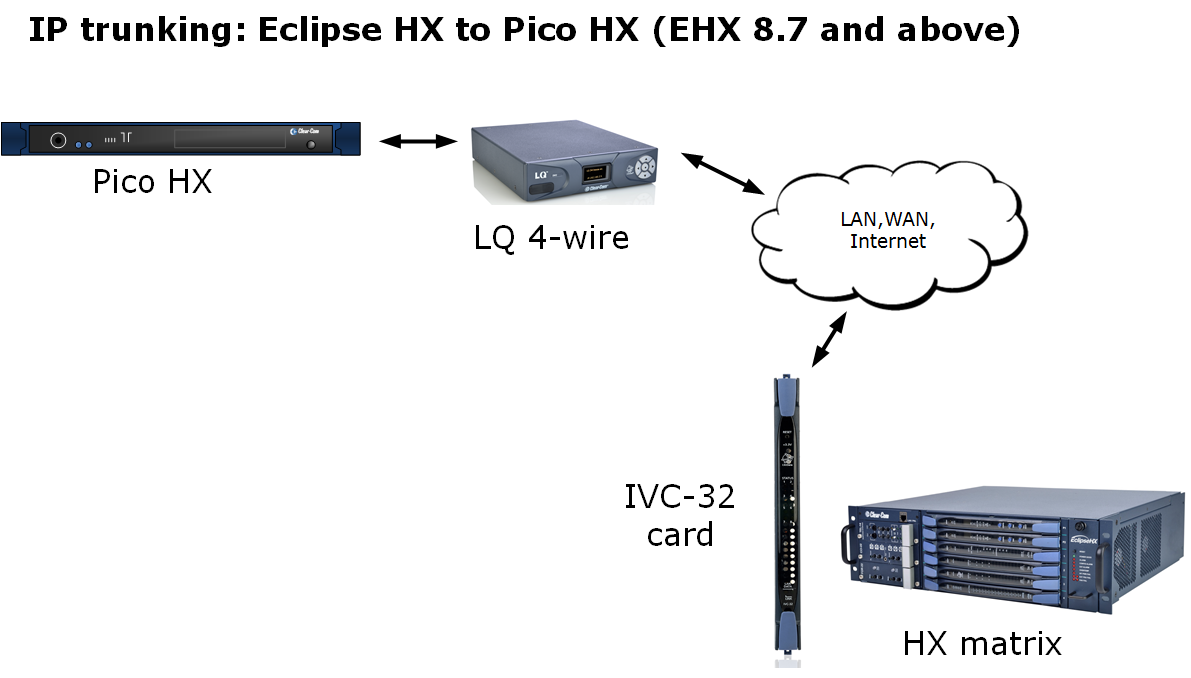
To access and configure the IVC-32 port:
-
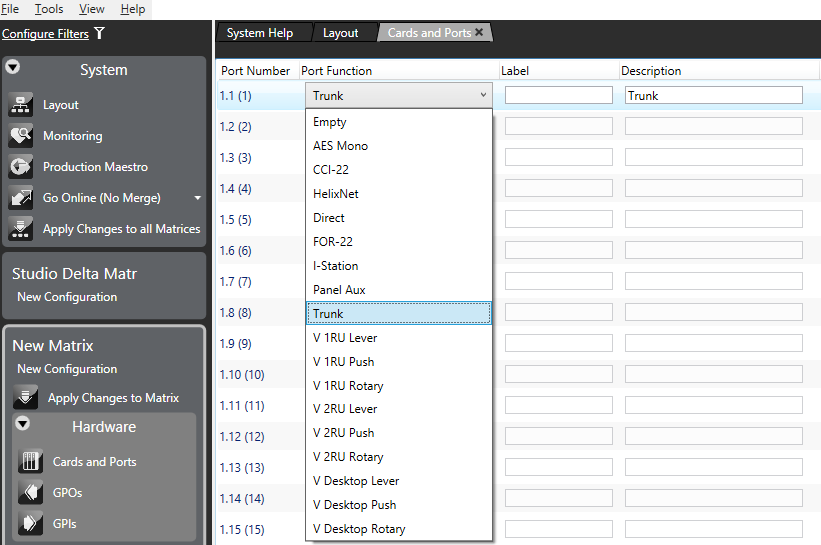
On the PiCo matrix, go to Hardware > Cards and Ports.
-
From the port drop-down list, select Trunk.
-
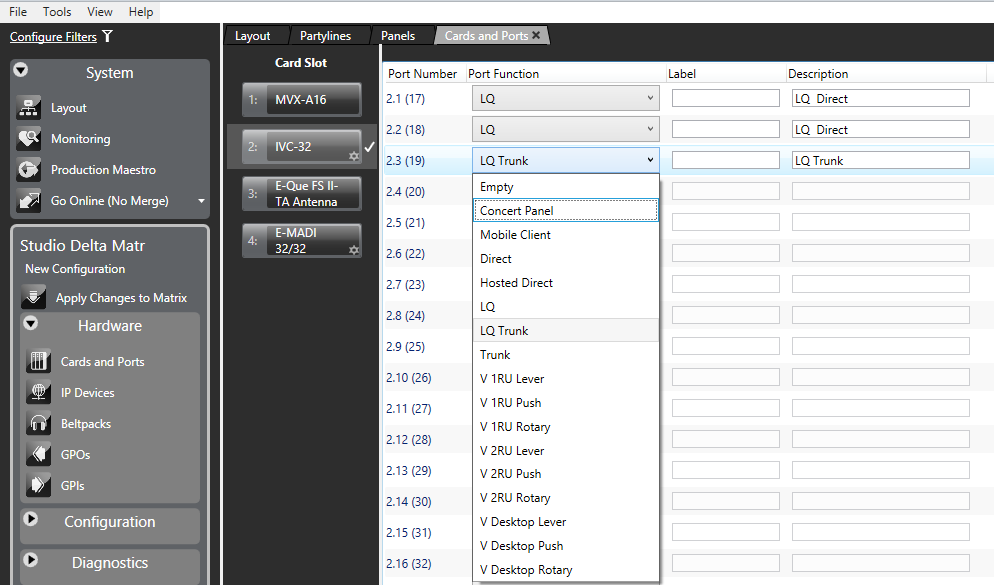
On the Omega, Median or Delta matrix, Go to Hardware > Cards and Ports and select the IVC-32 card.
-
From the drop-down list, select LQ Trunk.
-
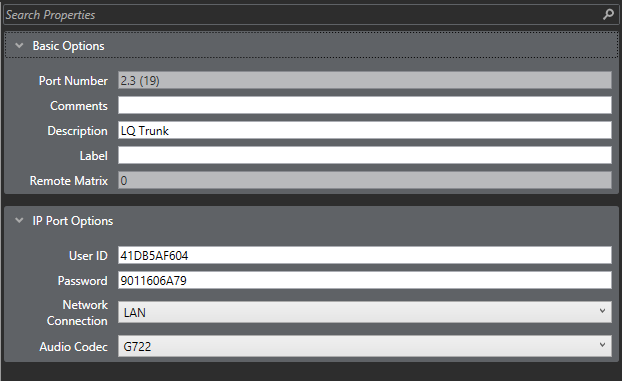
Highlight the port, and expand the Basic Options and IP Port Options properties.
-
In Basic Options, you can enter an optional Comment and Description, and enter a Label to identify the LQ Trunk.
-
In IP Port Options, enter or select:
-
The User ID – a default ID is automatically generated that you can edit as required.
-
Password - a default password is automatically generated that you can edit as required.
-
Network Connection (LAN, WAN or Internet).
-
Audio Codec (G722).
-
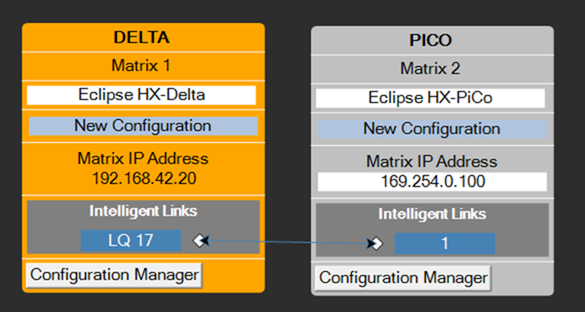
From the layout screen, link the trunk ports on the matrices together by dragging from one port to another.
-
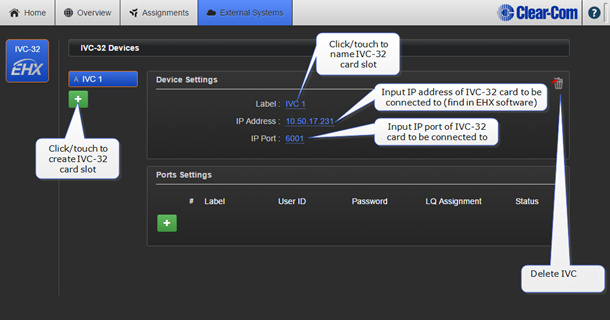
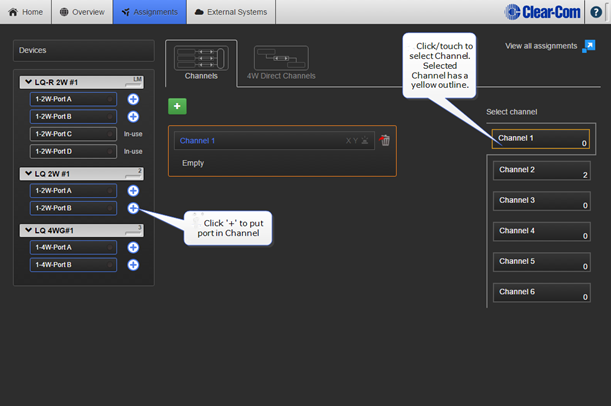
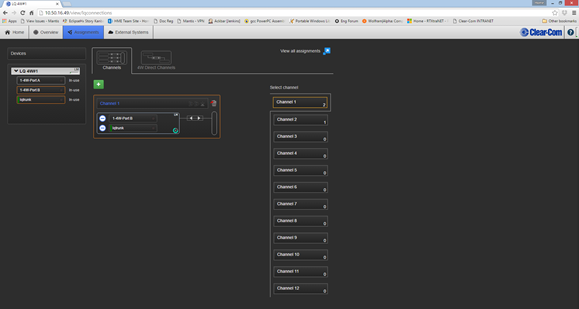
Configure the LQ Trunk Ports on your LQ device from the External screen in the LQ Core Configuration Manager.