Configuration Passwords
Individual configurations can be password protected to prevent unintended or unauthorized changes to be made or the configuration to be applied to a matrix.
-
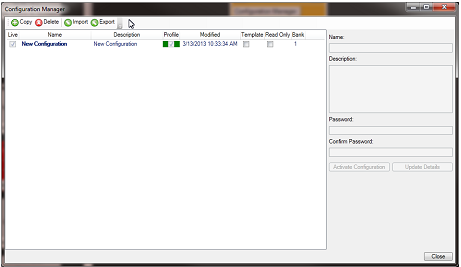
To set the password on the current configuration right-click the matrix on the layout pane and select Configuration > Configuration Manager.
When the Configuration Manager is open the properties of any of the available configurations (on that matrix) can be viewed and edited.
-
To set or change the password for a configuration type the password into the Password field and then retype in the Confirm password field. Then click on the Update Details to add the password to the configuration. The configuration must be saved and closed before the password becomes operative.
EHX users with Admin rights can always open a configuration regardless of whether a password has been set and reset the password if required. If an EHX user without Admin rights opens a password protected configuration they are asked for the password.
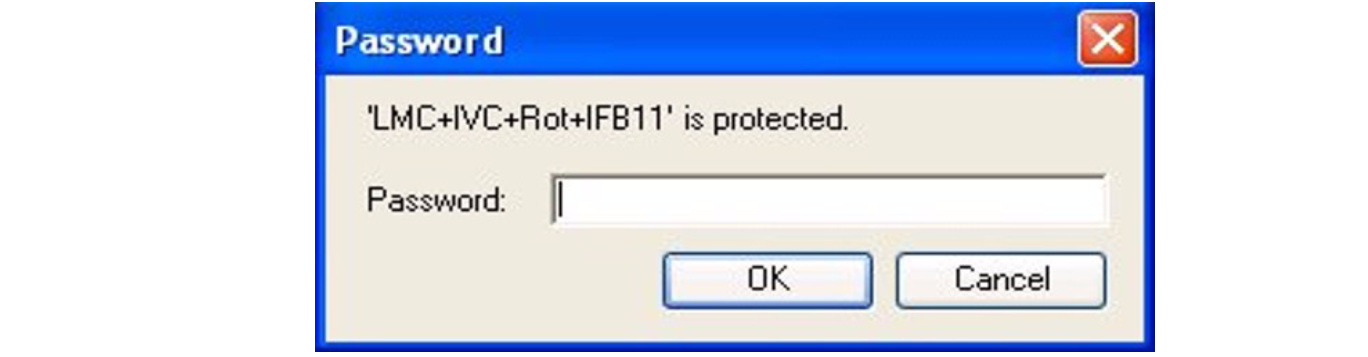
The correct password must be entered to open the configuration. Once the configuration has been opened by an EHX user with User rights that user may then change or remove the password.
The configuration password may be removed by opening the configuration properties and clearing both the Password and Confirm password fields and then saving the configuration. The next time the configuration is opened it is no longer password protected.