Introduction to Go Live Mode
Go Live mode is a mode that allows changes to be made to the configuration of a live system without the need to apply a new configuration. The new configuration is held in the matrix and even if the matrix is reset the modified configuration is preserved rather than defaulting back to the original configuration map.
| Note: | This feature used to be called Online Mode. |
The changes are not automatically added to the system configuration controlled by EHX until the modified configuration is saved either by clicking on the Save’ button in the File menu on exiting Go Live mode, by applying a map to the matrix or by exiting EHX and selecting Yes to save the configuration.
Go Live mode allows:
-
The labels on a key (including beltpacks) to be added, deleted or moved in Panel Programming.
-
Forced Listen and Blocked Listens to be updated in Local Advanced.
The functions which can be used in Go Live mode are indicated by green color-coding of the menu entries and button text.
However, there is an important limitation when using Go Live mode on linked systems. If a label refers to a source or destination on a remote matrix (a matrix linked to the current matrix) it cannot be assigned in Go Live mode unless it is already present in the current map being modified. For such a label to be present in a configuration it must have been assigned at least once and then applied as part of a map.
So, it is recognized by the matrix if it is assigned in Go Live mode. Local sources and destinations (on the current matrix) can be assigned for the first time in Go Live mode provided they have already been set up in the current map. For example, a local Party Line cannot be created in Go Live mode, but it can be assigned to a key for the first time in Go Live mode.
If a remote source or destination is assigned to a key for the first time in Go Live mode, the label is initially displayed in the panel mimic and then disappear because the matrix rejects the assignment request. Further information on this limitation is given later in this section of the guide.
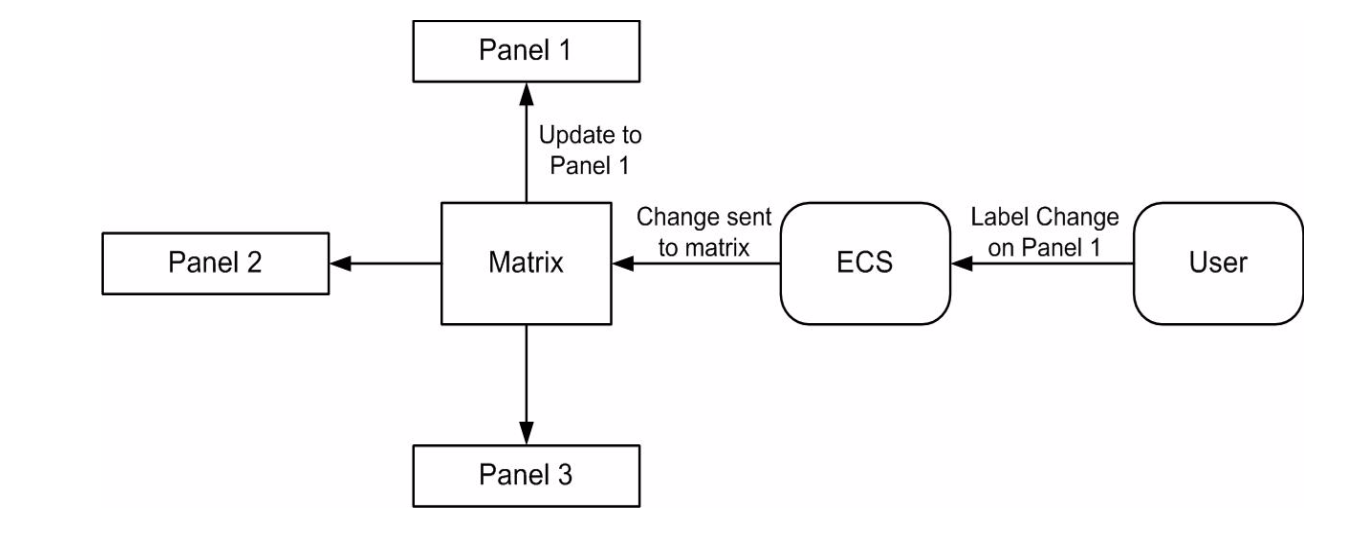
Go Live mode operates in a completely live mode so that as soon as a change is made in EHX the configuration in the matrix is updated. If a label on a key is changed for example, the panel affected is updated without any further user intervention.
EHX is notified of any changes that are made live, so if EHX is running on any other PC which is also configuring the same matrix and in Go Live mode it is also updated with the changes. Therefore, it is possible for more than one EHX to be editing a configuration with each change being displayed on all the copies of EHX connected and in Go Live mode. However, this mode of operation is not recommended due to the risk of the different copies of the configuration diverging later if one of the instances of EHX ceases to be online.