Introduction to Audio Mixer
The Audio Mixer facility is accessed from panel programming and is only available for V-Series panels. The Audio Mixer allows the audio input, output and crosspoint levels for the panel to be set by the use of the panel controls (main and auxiliary volume controls) or via the panel software. The audio mixer also allows audio input levels to be modified by means of threshold levels and compressors and for frequency based noise reduction filters to be applied. Crosspoints which are attached to IFB controls can also have the IFB dim levels set by the audio mixer.
The layout of the audio mixer is determined by the panel interface selected. For some types of interface such as the D25 connector more options are available than with the basic RJ45 interface.
When the pointer is moved over the panel, tooltips are displayed whenever it is over an active item such as a button on the toolbar, a filter setting or a crosspoint. The tooltip displays the current setting of any audio processing element.
| Note: | When role based sessions are enabled, the mixer settings are set at the port level (see image below). The Audio Mixer facility in panel programming is disabled when you are using role based sessions. |
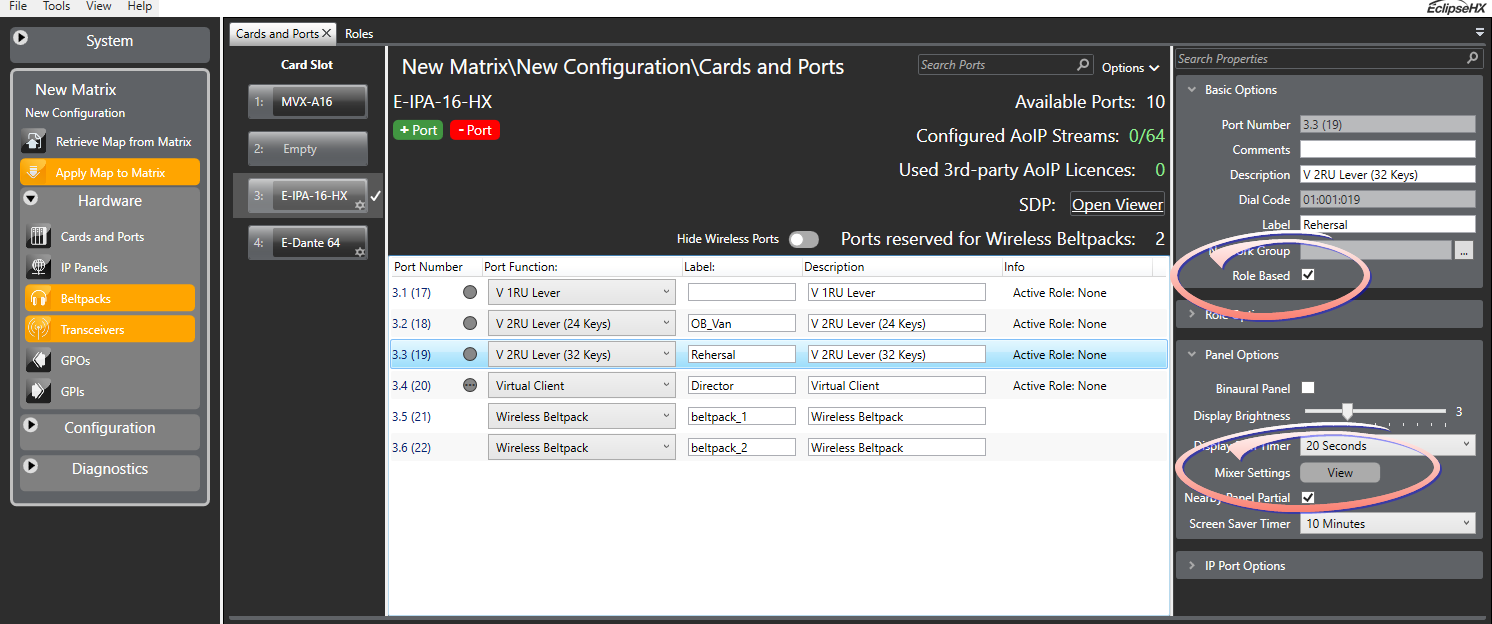
See Role Based Sessions in this manual if you need information on using panels with a role.