Allocate a Discovered Panel to a Card
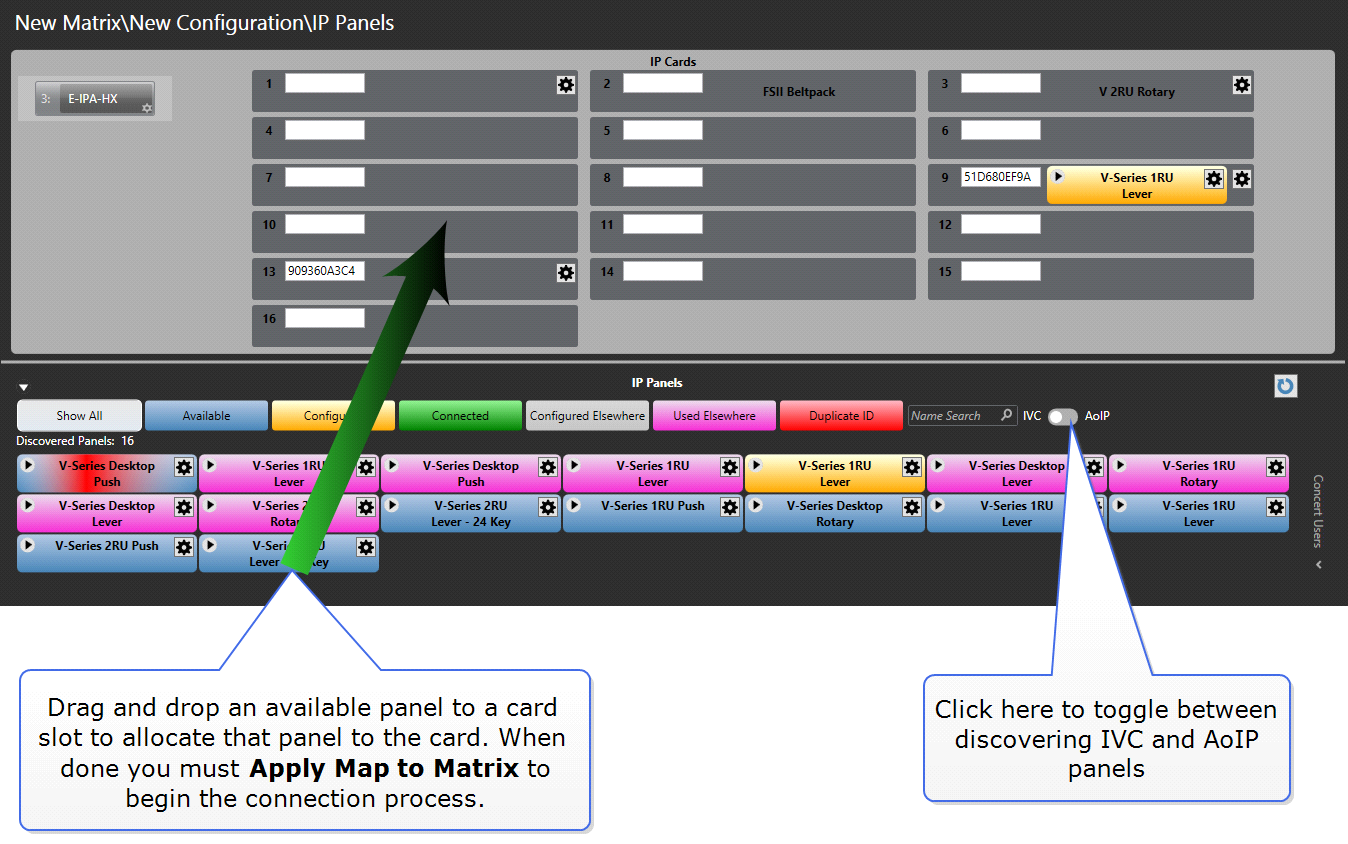
Once a panel has been discovered, it can be allocated to a card by selecting the panel and then dragging it onto the required card slot.
For an AoIP connection, this action will fill in the Panel IP properties with the mDNS name of the panel. It will also fill in the panel label with the serial number of the panel.
For an IVC connection, this action will fill the Panel IP properties with the User Name and Password credentials.
If you wish to change the label, edit it directly in the IP Panels screen or navigate to Hardware>Cards and Ports.
After you have dragged and dropped you must Apply Map to Matrix to start the connection process.
This method can be used for either IVC or AoIP panels, but you must use the toggle between IVC and AoIP to choose which panel type you wish to discover.
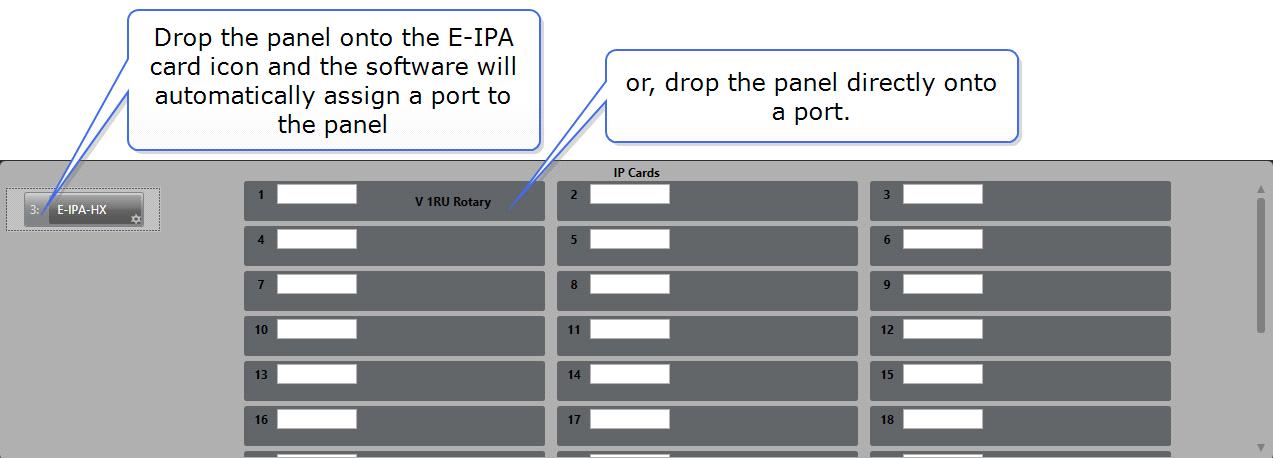
If you drop a panel onto an existing panel on the card, the new panel takes the configuration of the old panel. This action will clone the configuration of the previous panel.