Configuring DTMF Access Codes
Multiple code setup
Multiple codes enable an operator to stack multiple routes so that having called one destination a sequential call can be made to a further destination without ending the first call.
Assign DTMF codes
-
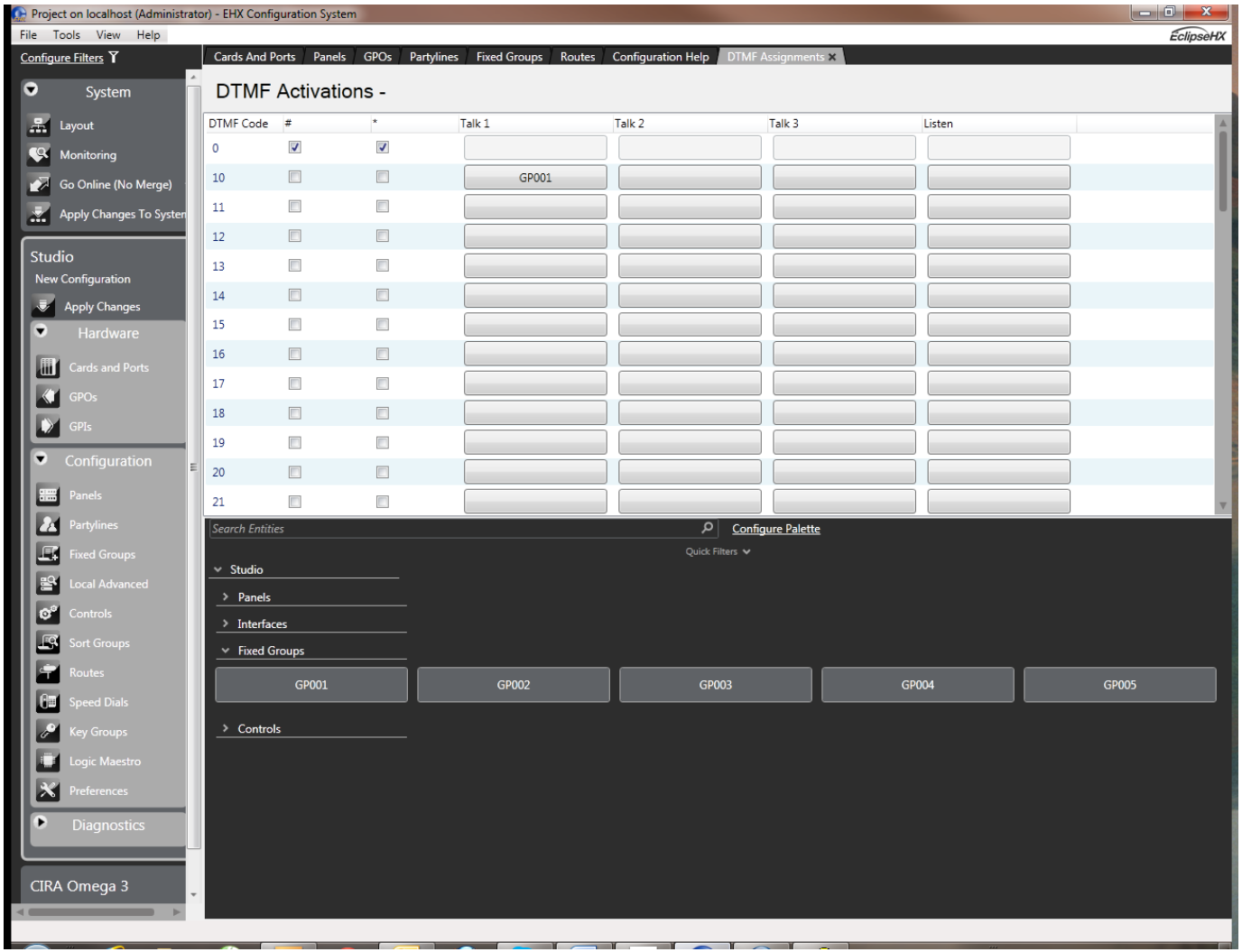
From the telephone’s Advanced Setting screen select Assign DTMF Codes to open the DTMF Assignments screen.
-
Select the desired destination label from the palette of available destinations, at the bottom of the screen.
-
Find the desired code in the DTMF Codes column.
-
The columns to the right of the DTMF Codes column allow assigning as many as three talk labels and one listen label for each key. Click in the column for the desired type of label for the desired code: Talk 1, Talk 2, Talk 3, or Listen. The selected label appears in the desired cell. If this cell has already been assigned a label, the new label displaces the old one.
-
Apply the new configuration to the matrix with an Apply Label Changes.
| Note: | Although the above describes a single route, multiple routes can be attached to a control. |
One-digit code setup
To assign the one-digit selector codes (numbered 0 through 9), set the [One Digit Codes] field in the Advanced Settings screen for a telephony interface to true.
-
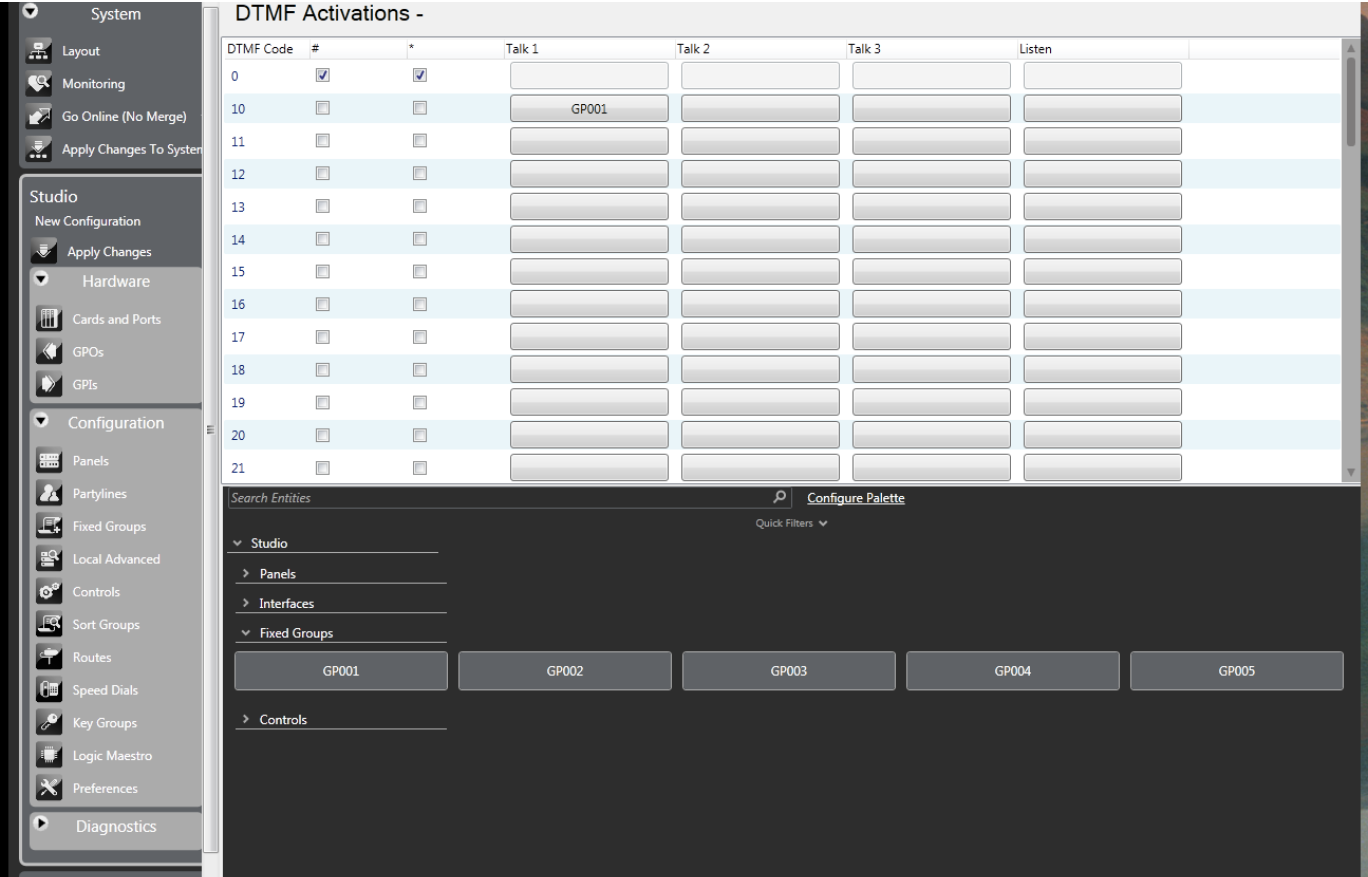
From the telephone’s Advanced Setting screen select Assign DTMF Codes to open the DTMF Assignment screen.
-
Select the desired destination label from the palette of available destinations, at the bottom of the screen.
-
Find the desired code in the DTMF Codes column.
-
The columns to the right of the DTMF Codes column allow assigning as many as three talk labels and one listen label for each key. Click in the column for the desired type of label for the desired code: Talk 1, Talk 2, Talk 3, or Listen. The selected label appears in the desired cell. If this cell has already been assigned a label, the new label displaces the old one.
-
Apply the new configuration to the matrix with an Apply Label Changes.