Configuring SIP calls on a panel
To register a SIP server to EHX and configure ports see Register a SIP server and accounts
-
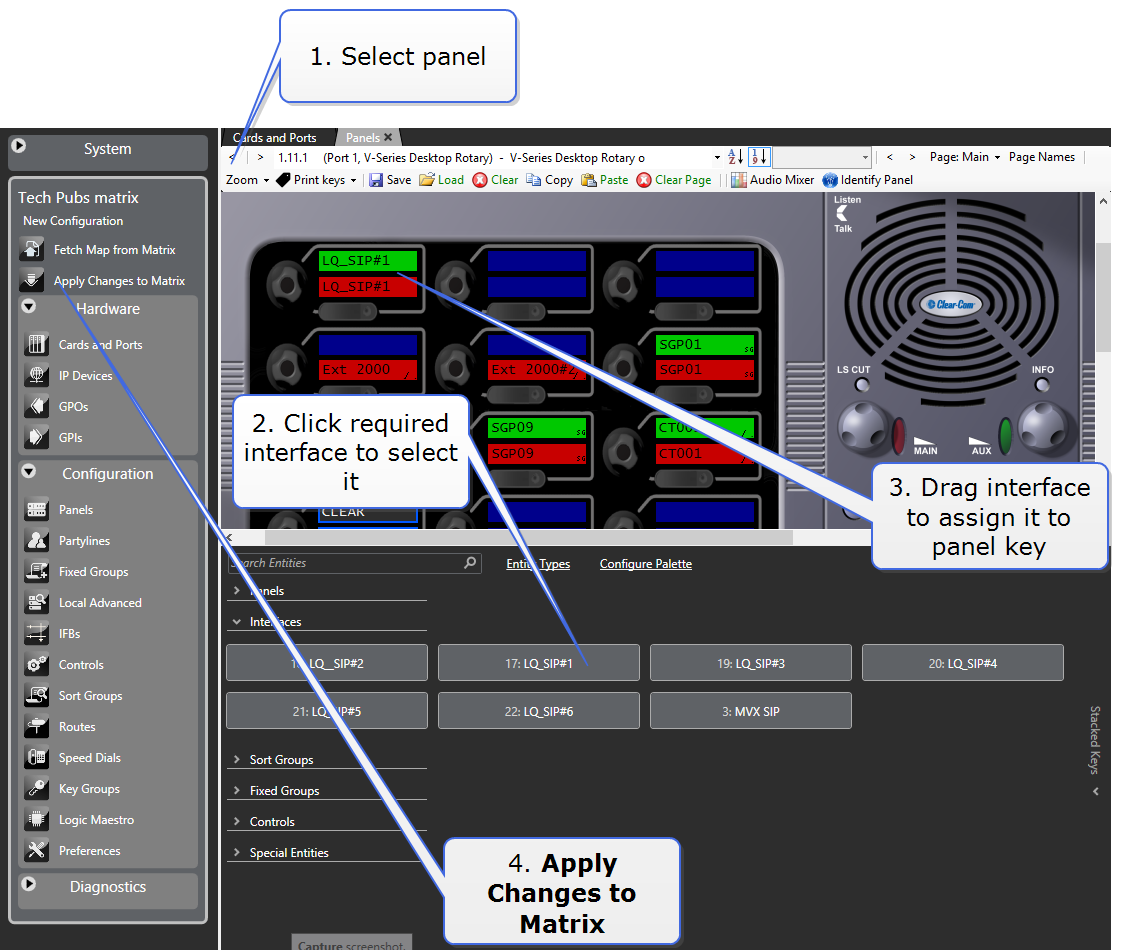
In the EHX software, navigate to Configuration > Panels.
-
Assign a Talk and a Listen to a panel key. For more information, see V-Series Panel Programming.
-
To apply changes to the matrix, click Apply Map to Matrix.
| Note: | You can dial an external number using the panel keypad. For convenience, you can also program a speed dial. For more information, see Speed Dials Using SIP. |