Headset and Microphone Options
Headset Limiter
Use this option to prevent the headset audio becoming too loud. You can limit the audio level from -12dB to 8dB.
Headset Master Volume Low Level Limit
This feature sets the low level limit on the beltpack master volume in order to stop the beltpack being turned down so low that it cannot be heard. How this feature is used depends on your preferred working practice; it is possible to turn the master volume on the beltpack down so low that all audio is inaudible. This can cause confusion among the unwary, although some users may want to turn the volume down completely on some occasions.
The low level limiter can be set from the configuration software, or from a beltpack menu (as long as the beltpack has advanced menu options).
Set the beltpack master volume low level limiter in EHX
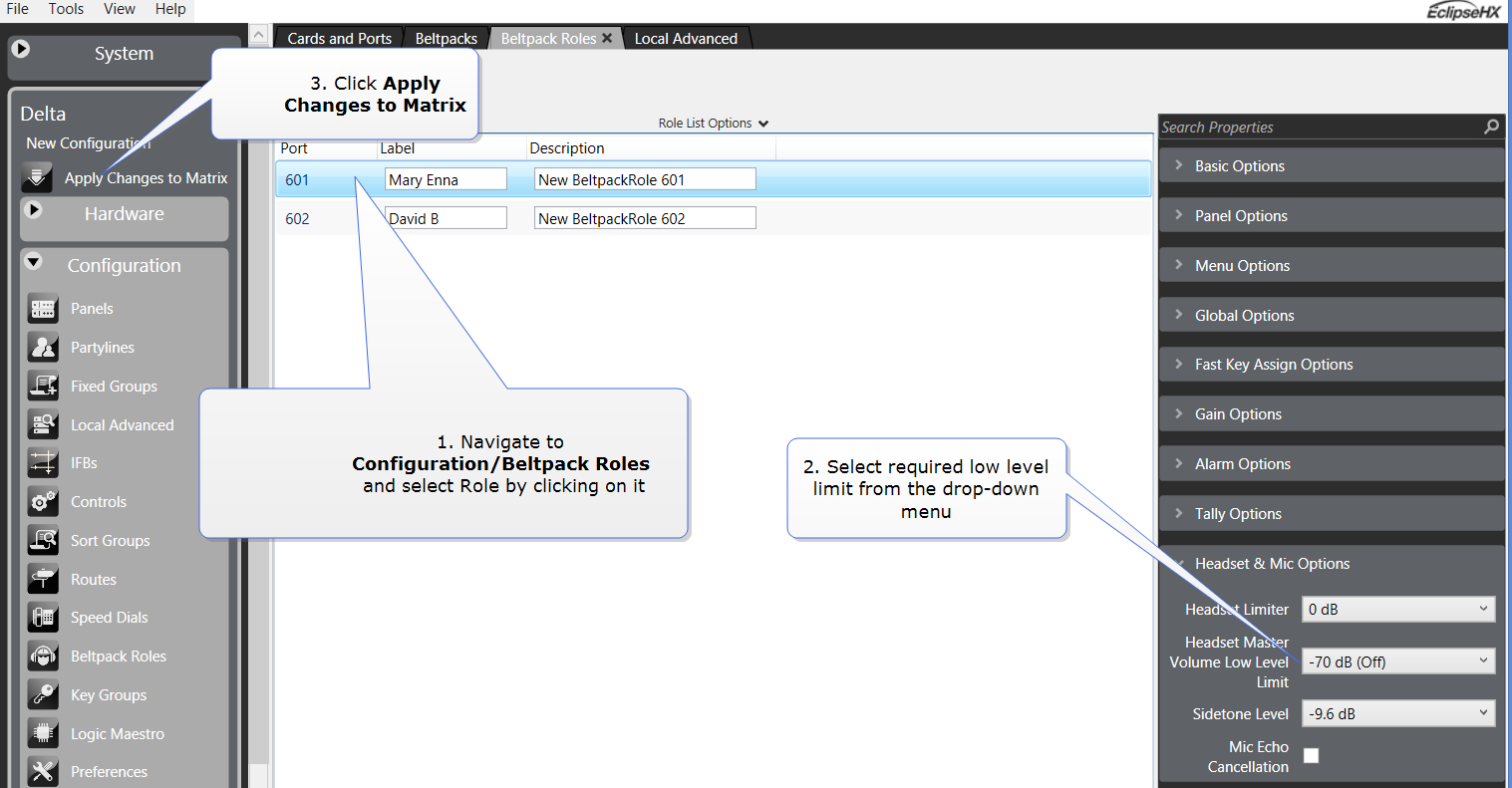
| Note: | Changes made to Roles in EHX must be sent down to the matrix before they take effect. Click Apply Map to Matrix. |
Set the beltpack master volume low level limiter in the beltpack menu (advanced menu options only)
From the beltpack, press and hold the menu button for 2 seconds to enter menu mode. Navigate to: Settings/Headset options/Low level limiter and select the required low level limit.
Sidetone Level
Use this option to determine how much audio from the headphone microphone feeds into the headphone. You can select a sidetone level from -69.9dB to 0dB.
Mic Echo Cancellation
Use this option to improve the quality of the microphone voice audio.