Call Management Group Options
Call Management Group options allow you to add extra functionality to a fixed group configuration. These features can be used when you need to treat a group as a pool of responders; where any group member can take a call. There are two modes of operation:
-
Group to Group
-
Group call pick up
Any member from a defined group can call another group, alerting all members of that group. Any member of the group being called can pick up the incoming call and this creates a point-to-point audio connection.
Use this feature when members of separate groups or teams need to talk to each other, for example members of primary transmission control room (a broadcasting scenario) need to contact members of a studio.
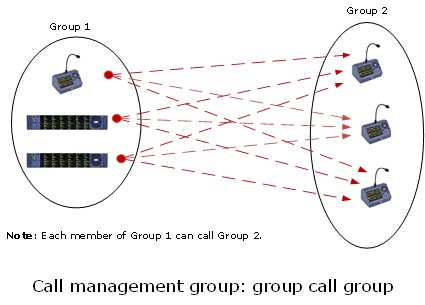
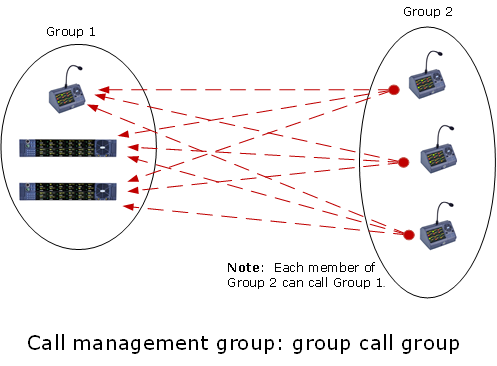
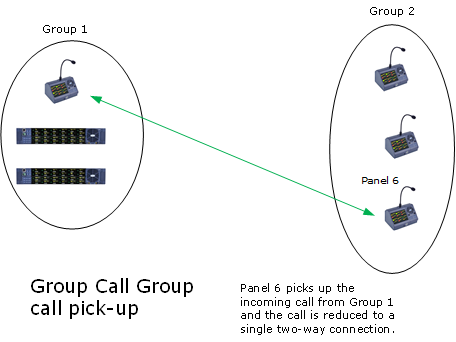
There are a number of set-up options available:
-
A speaker port can be configured to broadcast incoming calls to a group.
-
An external line can be a participant caller.
-
An individual can be configured to call a group.
-
Once a point-to-point connection has been made, the connection can be set to persist for a specified time (0-60 secs) after the call has been released by users. This means that the call can be re-activated without having to be re-broadcast to the whole group.
When no speaker port is specified, and multiple members are calling multiple members, both groups MUST be local to the same matrix. Setting a speaker port in Matrix>Configuration>Fixed Groups>Properties enables an external line.
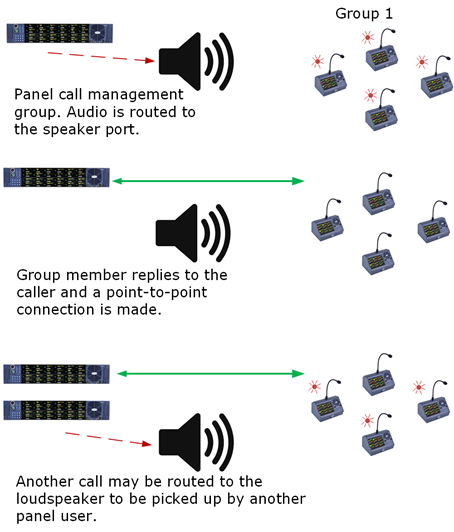
Configuring a call management group
To configure a call management group:
-
Open Configuration > Fixed Groups.
-
Create a fixed group that contains all the panels to be included in the call management group.
-
From the Properties window, expand Call Management Group Options.
-
Ensure the Call Management Group option is enabled. Click the dropdown arrow to the right of this option to set it to True.
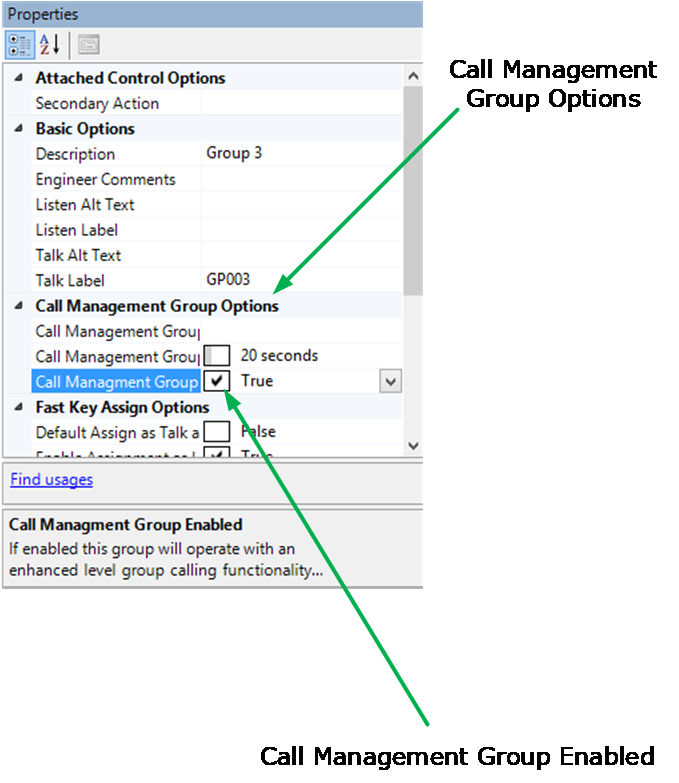
This enables Call Management Group functionality.
-
Set the Call Management Group Timeout as required (0-60 secs).
Configuring a loudspeaker port for a call management group:
Follow steps 1 – 4 above.
-
Click the dropdown arrow to the right of Group Management Group Port to see available ports. Select port.
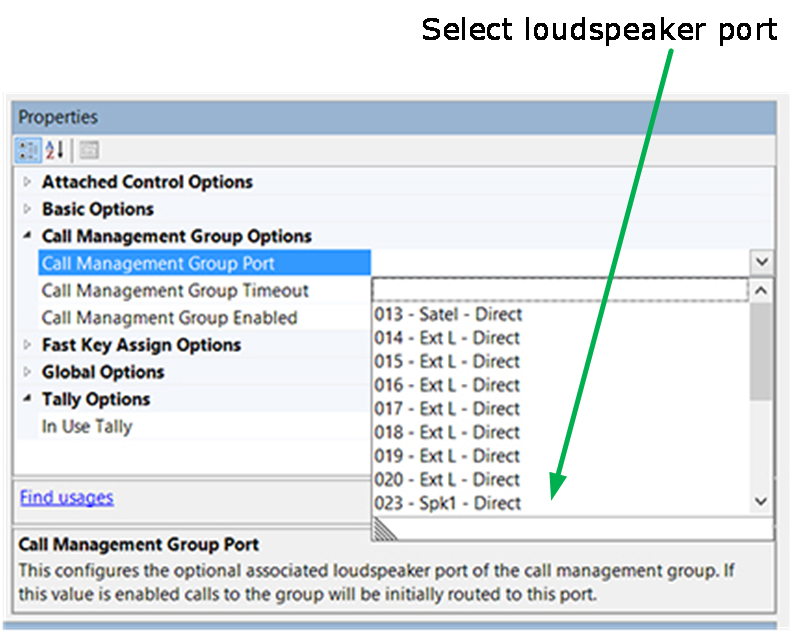
This enables Speaker Port to Group Call. To disable this option, ensure that this option field is blank (click the blank placeholder at the top of the list).
Note: You will need to enable this option if you wish to use an external line with the call management functionality.