Partyline Attached Controls
Controls can be attached to partylines that allow a Route, Relay or Speed Dial to be activated via a secondary action.
-
Select Configuration > Partylines.
-
Create a partyline or select a partyline that was been previously created.
-
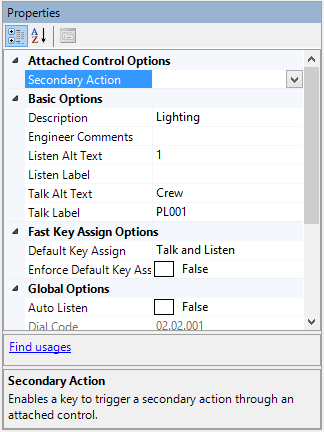
Expand Attached Control in the Properties window.
-
Select Secondary Action in the Attached Control list.
-
Select the drop-down arrow and select the required control.