Binaural audio panel
The binaural audio control setting panel applies to Partylines (conferences) on V-Series panels. It is only visible when binaural audio has been enabled on the panel role.
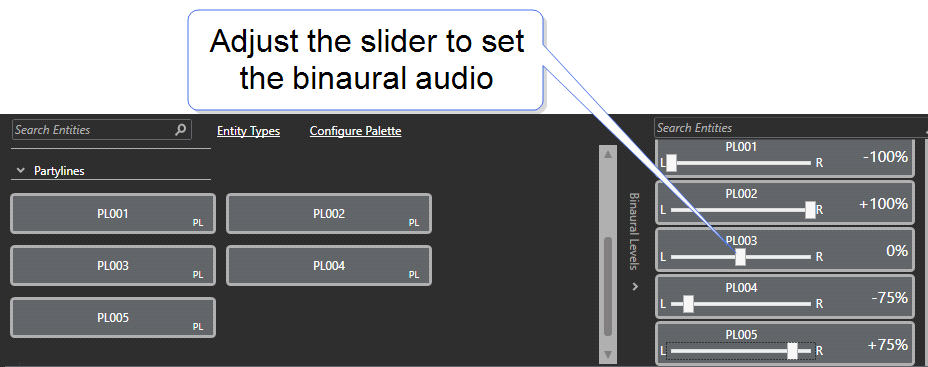
|
Note:
|
Partyline sliders are only shown for Partylines that are monitored by this panel in the current configuration (listen key accesses and permanent listen membership). |
|
Note:
|
The slider controls set the mix for the whole panel, not individual keys. |
|
Note:
|
Changes do not apply to Live or Supervisor mode. |
|
Note:
|
When using role based sessions, binaural audio must be enabled on the port (Cards and Ports) and on the role (Roles, [select role] Panel Options). |