Printing Key Labels
| Note: | Printing key labels applies to i-Stations and ICS-1008 and 1016 panels. |
You can print the names of the keys assigned on the panels and attach the printout to the panel. You can select and print key labels for one panel or print key labels for more than one panel.
-
Select Print keys.
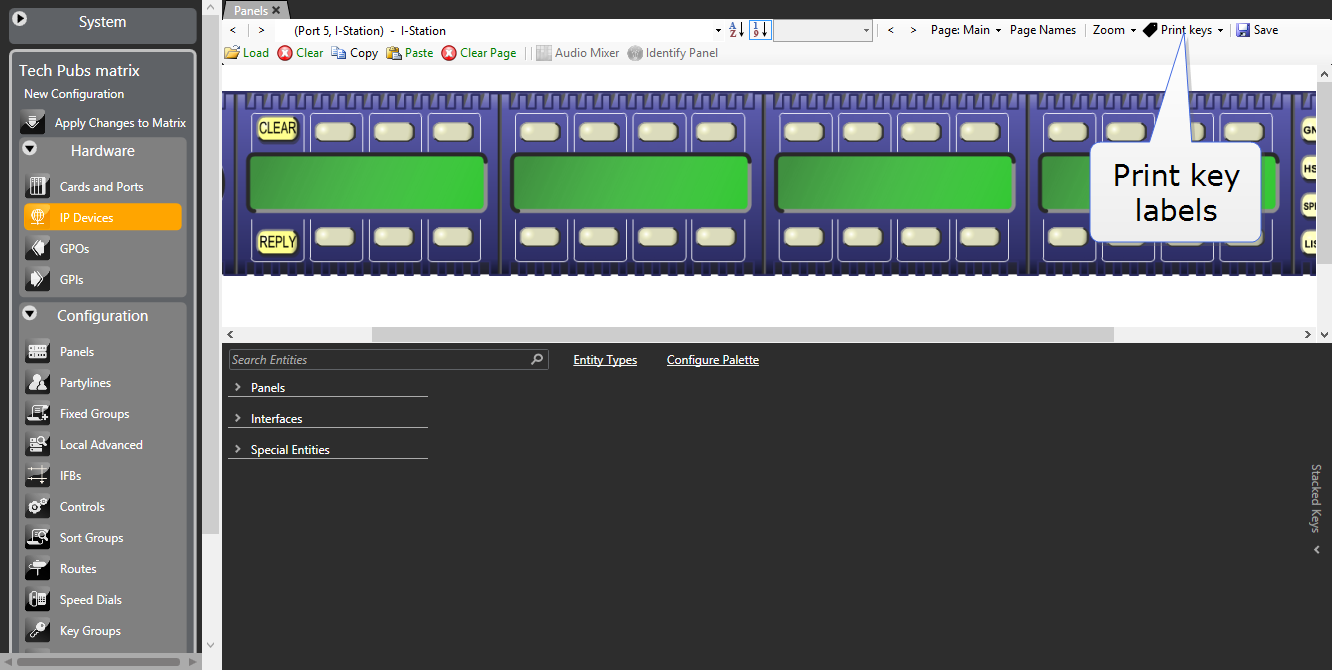
-
Select one of:
-
Print as BMP – creates .bmp file for the displayed panel.
-
Print as CSV – creates a .csv file (Comma Separated Variables) for the displayed panel.
-
Print all as BMP – creates a .bmp file for all connected ICS and i-Series panels.
-
Print all as CSV – creates a .csv file for all connected ICS and i-Series panels.
-
Save the file to the required location.
-
Open the file in graphics software (or in the case of .csv files, in a text editor) and edit as necessary before printing.
| Note: | To ensure correct spacing, do not scale the file either in the graphics software or on printing. |