Configuring Clear-Com to Clear-Com Trunk Ports
For each connecting device:
Set card properties
Configure the IP addresses of the E-IPA card. For the audio port (AES67), this includes:
-
A static IP address
-
Defining a multicast IP range (or use default setting)
For Clear-Com AoIP trunk connections you do not need to set any PTP protocol settings, you will work with the default settings.
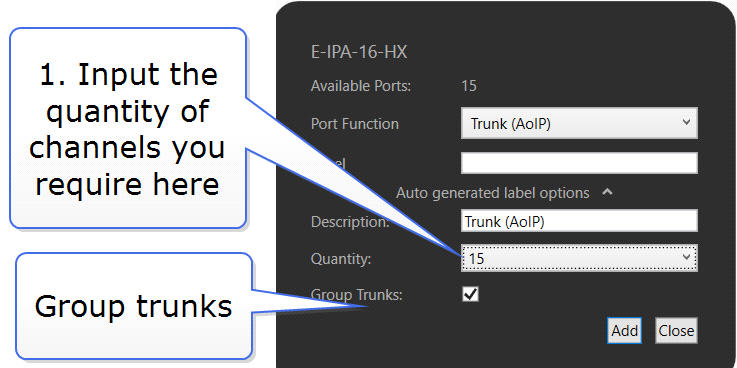
Select a port on each matrix E-IPA card: Trunk AoIP
Use the Group Trunks feature to add channels to your streams
When done:
-
Connect devices in the Layout screen.
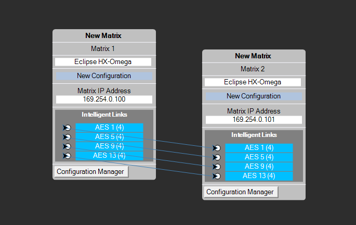
This step automatically populates the SDP details of the streams.
Apply map to matrix
| Note: | When connecting trunk ports your network must have IGMP snooping and one querier enabled. |