The SDP Viewer
The SDP viewer can be used to check streams and channels coming into and being transmitted out from your matrix. You can also copy SDP files here, and pull Rx streams into your matrix configuration.
To see the SDP viewer, navigate to:Matrix>Hardware>Cards and Ports>E-IPA-HX card>Card Properties (right-click or double-click on the card icon)>Protocol Settings>Open Viewer.
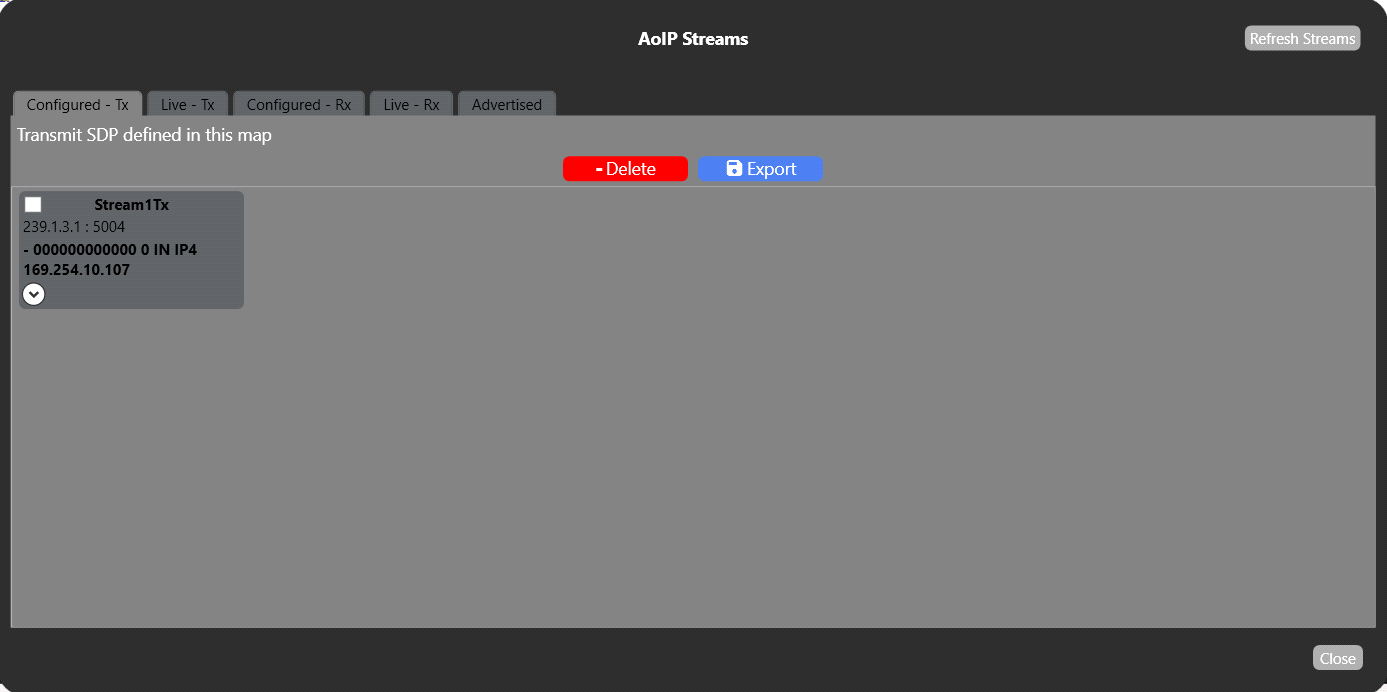
The Configured Tx and Rx tabs show streams as they are configured in the EHX software. Once you download the map to the matrix the streams will become live.
Right-click on the stream icon. This opens the AoIP Properties tab where you can edit and copy SDP details.
Click on the Advertised tab to see steams advertised with SAP on your network. Right-click on a stream to pull it into your EHX configuration.