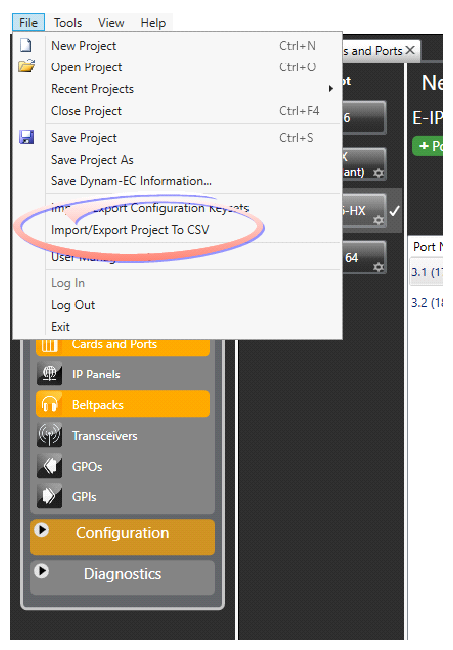
Importing/Exporting a Map to CSV
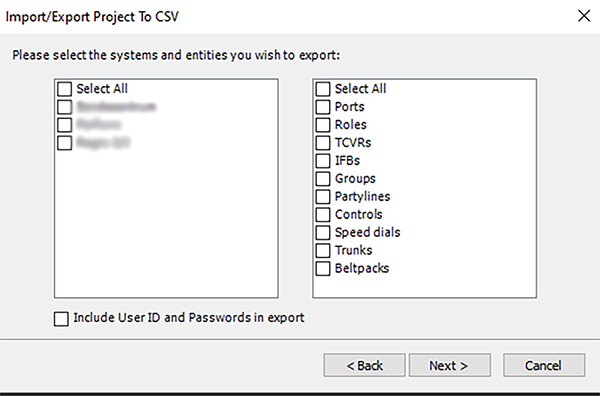
This feature allows you to export certain parts of the system map to a Comma Separated Values (CSV) format. This exported .csv file can be edited and imported back into the matrix for updates to take effect (.csv files are commonly opened in Excel). The following files can be exported:
-
Entities (can be edited and re-imported)
-
Members
-
Trunks
-
SIP (with EHX 14, SIP accounts and servers can be exported but not imported)
-
SIP Accounts
-
SIP Servers
-
-
Beltpacks (can be exported and imported but not edited)
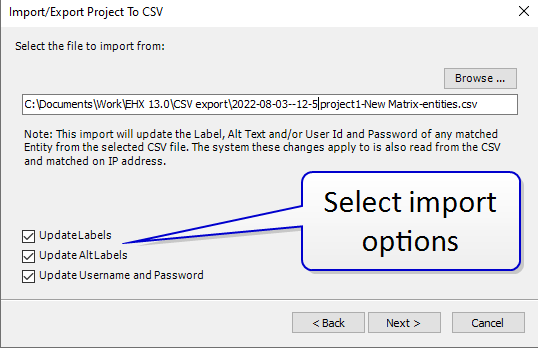
The Entities file can be edited and re-imported. This feature can be used, for example, to support system user shift changes.
Changes can be optionally imported to the following fields:
-
Label
-
Alt label
-
Username
-
Password
 How to Export/Import Map to CSV