How to Configure a Redundant E-IPA-HX Card
When the E-IPA card has been installed on the matrix, you must set the Card Type in Card Properties. You will also set administration LAN port IP details and select the active cards that you want the redundant card to take over from in the event of failure.
-
In the EHX configuration software, navigate to: Matrix > Hardware > Cards and Ports.
-
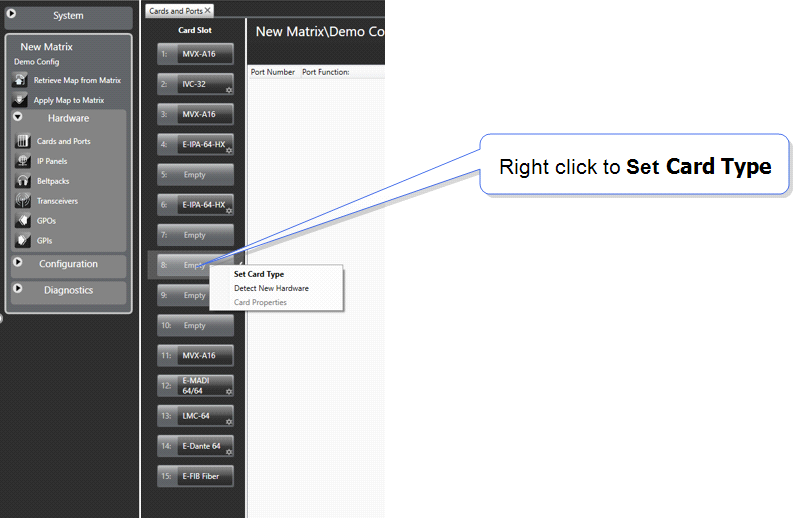
Right click on the card you wish to configure and select Card Type.
-
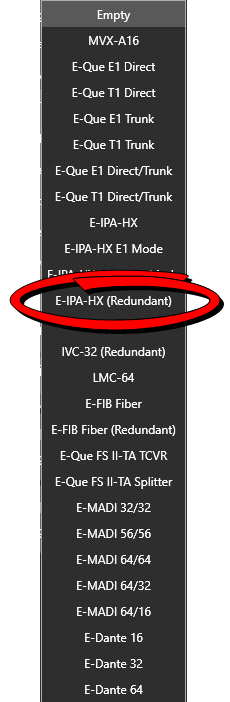
From the list of card types, select E-IPA-HX Redundant.
-
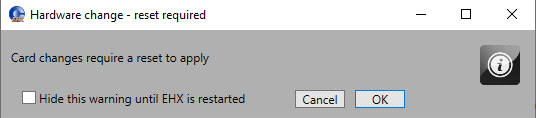
The system warns you that you will need to apply the map to the matrix when done. Click OK to continue.
-
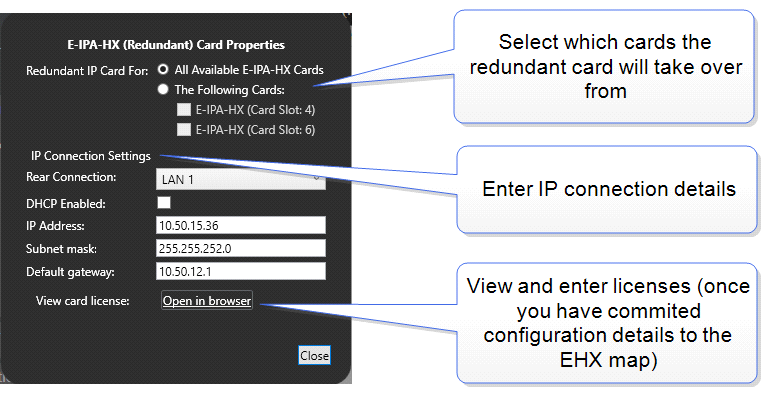
The Card Properties tab appears.
-
Using the toggler and checkboxes, select the cards that you want the standby card to take over from in the event of failure.
-
Set the admin IP address details. You need to configure the card to be able to access the external Clear-Com licensing server in order to install card licenses.
-
Apply Map to Matrix.
-
When you have done this, you will be able to install the card licenses as required.
For information on the licensing process, both online and offline, see the E-IPA-HX License Guide, available from the Eclipse HX Knowledge Center.