Transceivers
When at least one beltpack has been allocated to the system, a Transceivers button appears under Hardware. Click this button to add and remove IPTs.
Offline configuration
Use the + IP TCVR button to add transceivers to your configuration (offline configuration).
To connect the matrix and the transceiver, input the transceiver mDNS Hostname or IP address into transceiver Properties and click Apply Map to Matrix.
| Note: | Using the mDNS Hostname means that the IPTs remains connected if the IP address changes. |
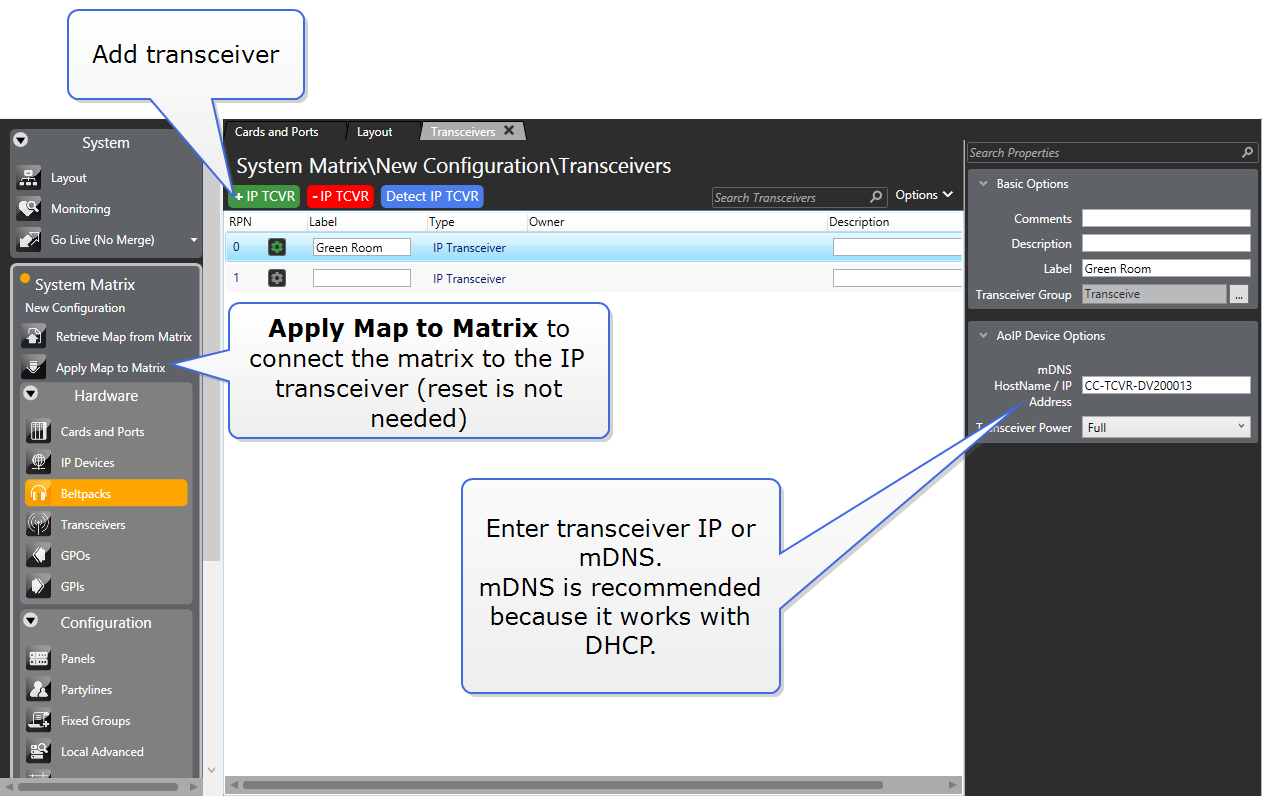
Use the - IP TCVR button to remove transceivers from your configuration.
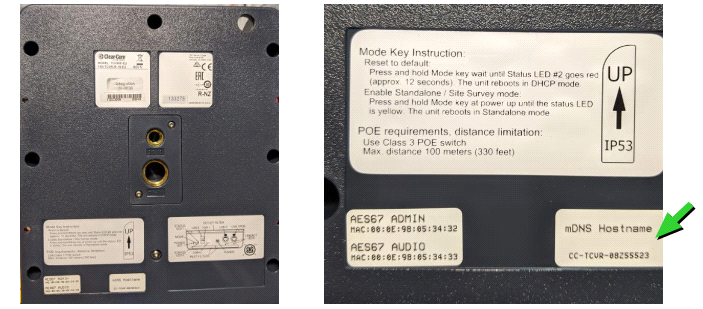
| Note: |
You can find the transceiver mDNS name on the rear of the device. |
Online configuration
Use Detect IP TCVR to find the IP transceivers on the network (the transceiver must be on same network as IPA AES67 port, and the EHX software PC must be on the same network as the IPA admin port.). By default the E-IPA-HX and IP transceiver are DHCP enabled and automatically receive an IP address.
| Notes | The Detect IP TCVR feature works even when the IP transceivers are not on the same subnet, but connected to the same Layer 2 network as the AES67 IP interface on the E-IPA-HX card. However, for connection between the transceiver and the card, the devices must be on the same subnet. |
| If you reset an IP transceiver to default settings, the device reverts to DHCP. To reset the transceiver, press and hold the Mode button on the transceiver base until the status light turns red (approximately 12 seconds). This action defaults the Admin and AES67 IP addresses of the Transceiver to DHCP. |
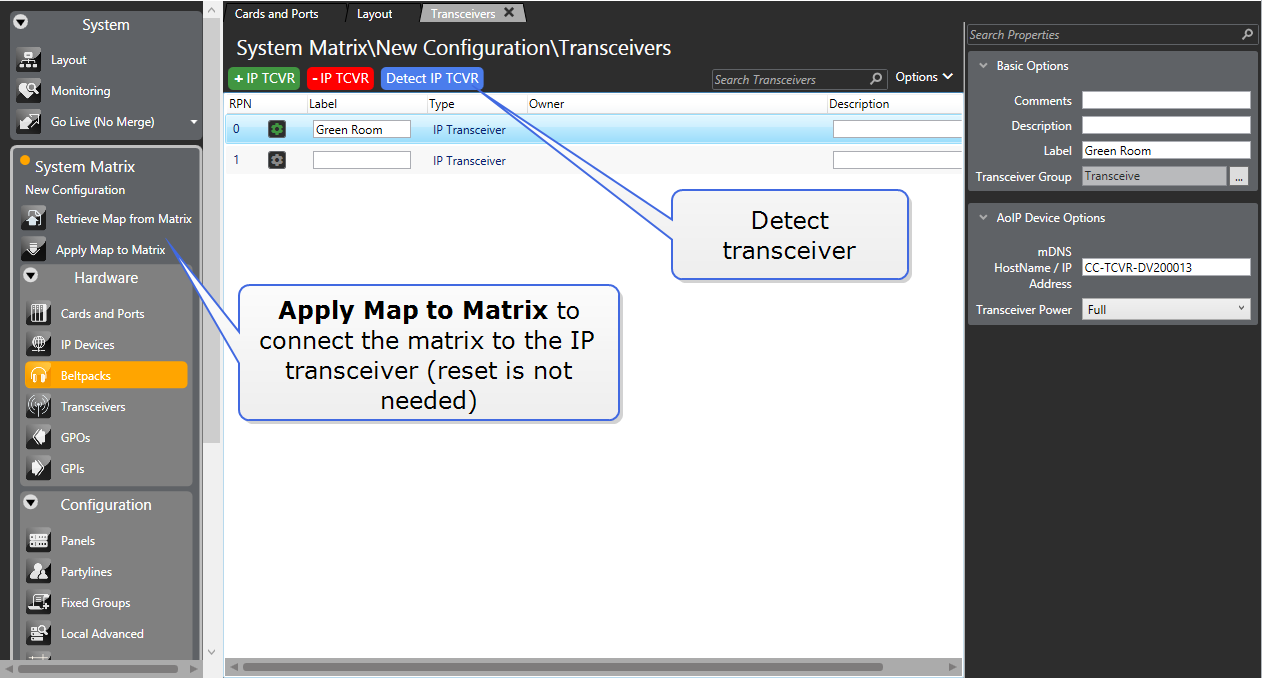
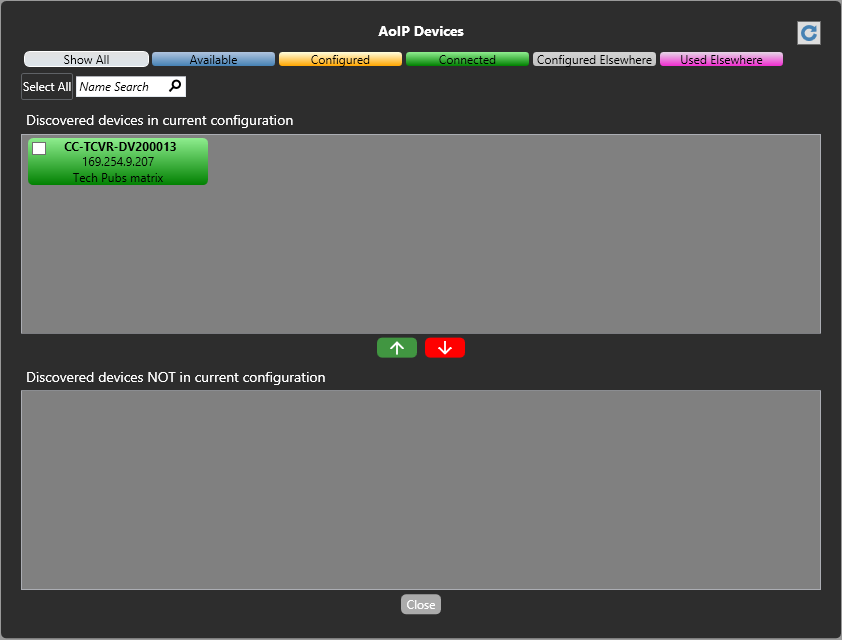
From the AoIP Devices screen, use the up and down arrows to add or remove transceivers from your current configuration.
The color of the detected transceiver indicates:
- Blue: Transceiver is available.
- Amber: Transceiver is configured, but not connected to the matrix. A download is required.
- Green: Transceiver is connected to the matrix.
- Gray: Transceiver is connected to another matrix, but it is not online.
- Purple: Transceiver is already connected to another matrix.
Static configuration for the E-IPA card
By default, both the AES67 Admin port and the AES67 Audio ports are DHCP enabled. However, you can allocate static IP addresses for an IPT.
| Note: | Both the AES67 Admin and AES67 Audio IP addresses must be set to static. You cannot mix DHCP and static IP addressing on the IPT. |
-
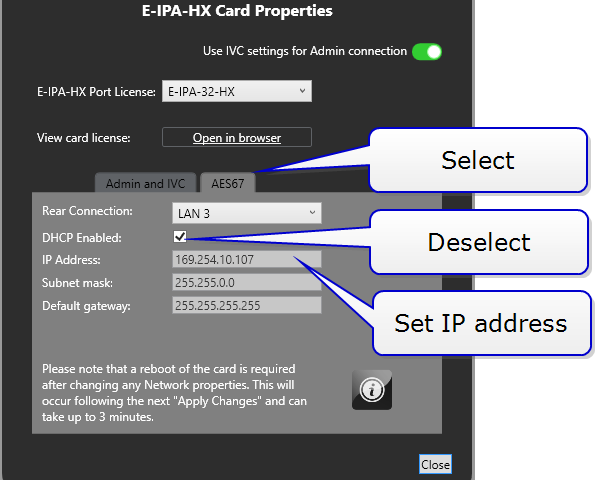
Navigate to Hardware > Cards and Ports, and then double-click the card slot containing the E-IPA-HX card. The Card Properties screen appears.
-
Select the AES67 tab, and then deselect DHCP Enabled.
-
Set IP Address.
-
Click Close.
Static configuration for IP transceivers
-
Navigate to Hardware > Transceivers.
-
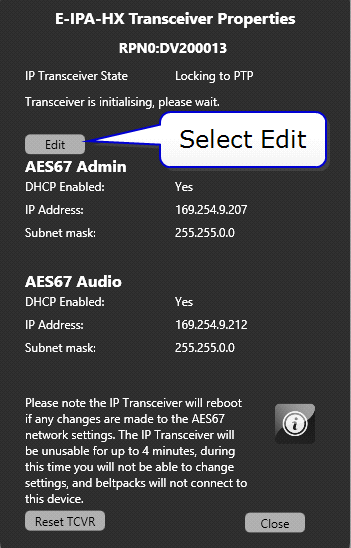
Click the cog icon for the required transceiver. The Transceiver Properties screen appears.
-
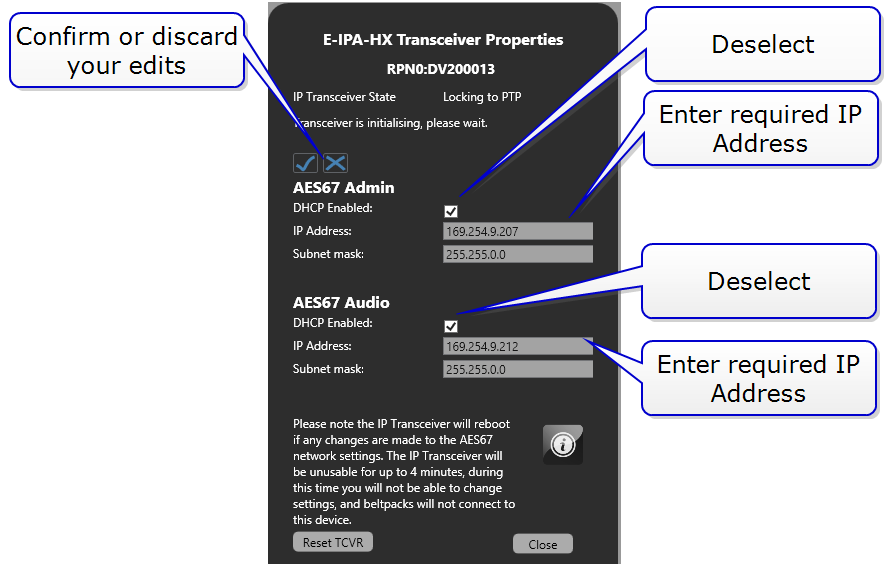
Select Edit, and then deselect DHCP Enabled for both AE67 Admin and AES67 Audio.
-
Enter the required static IP addresses for AES67 Admin and AES67 Audio.
-
Click
 or
or  to accept or discard your changes.
 -
Click Close.
-
Click Apply Map to Matrix.