Upgrade your E-DANTE64-HX Card
Upgrades for your E-DANTE64-HX card are available for both EHX and Dante firmware and are available from your Clear-Com representative.
The upgrade process for the two different modules on the card (1. EHX and 2. Dante) is different. The two processes are outlined below.
| Notes: | When upgrading your E-Dante64 card, only use the Clear-Com supplied upgrade files for both. |
| (A: EHX) ClearCom - App, Boot, DSP, FPGA: xxxxxx.FWC files (B: Dante) ClearCom [Brooklyn]: xxxxxx.dnt file. |
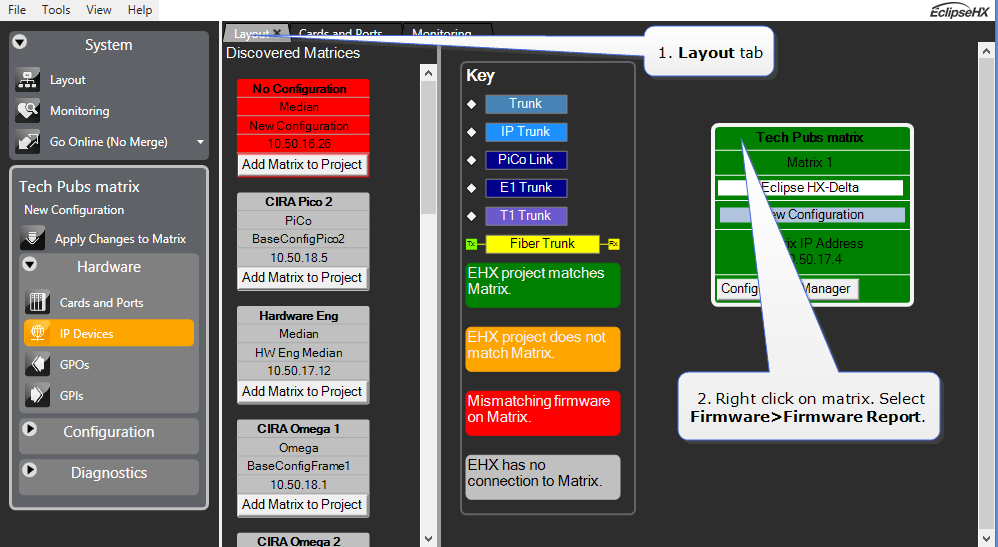
To check if your firmware is up to date, open the Firmware Report in EHX.
In the EHX software, navigate to the Layout tab. Right-click on the required matrix and select Firmware/Firmware Report.