Configuring the E-Dante Interface using Audinate Dante Controller
- Open the Dante Controller software.
The Dante Controller will see all Dante enabled devices on its network and you should see the Clear-Com Dante card in the Routing page of the Controller (assuming the network is connected and working).
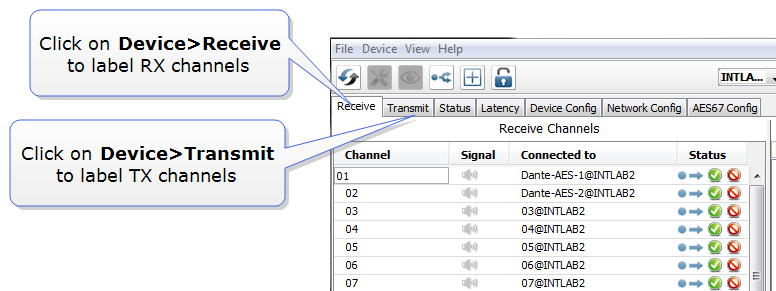
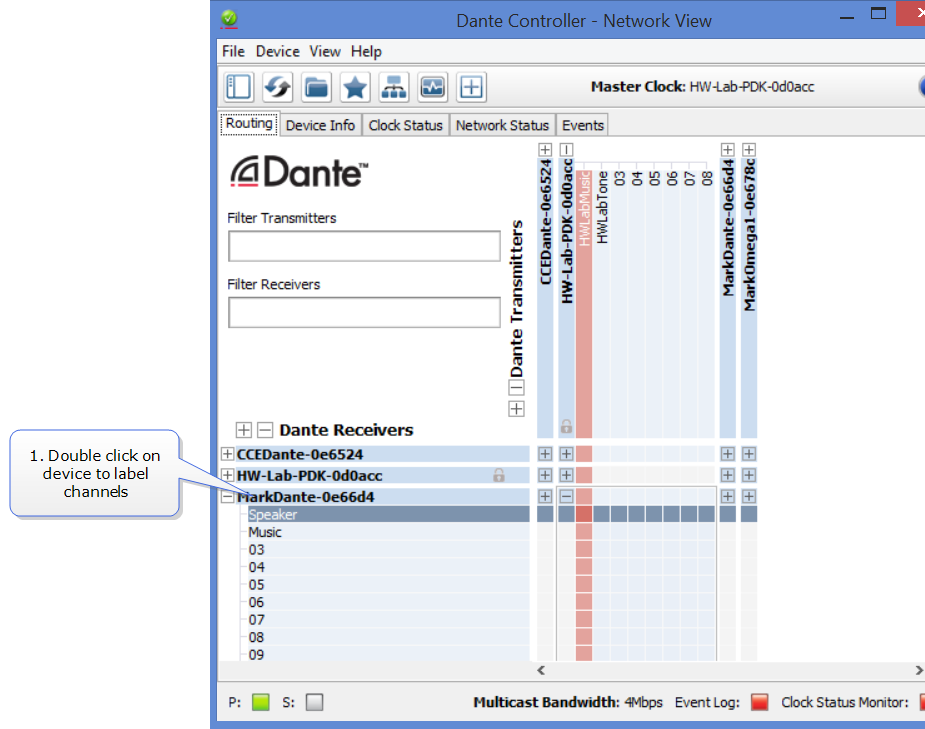
- Label channels and device as required. Double-click on the device in the Dante Routing page to access device configuration options to change names and labels.
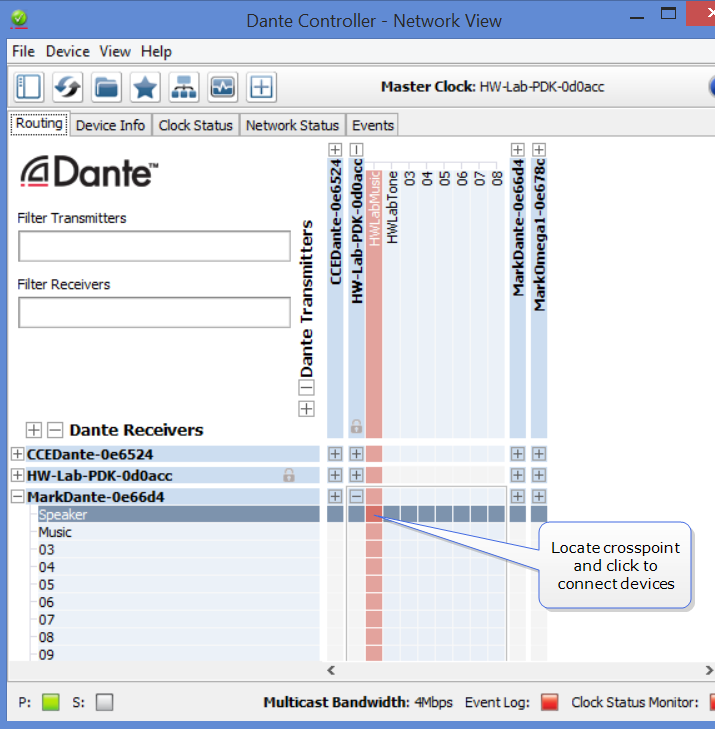
- Make connections (subscriptions) between devices by locating required crosspoints and clicking to connect.
| Note: | The Dante interface will provide error messages if there is a settings mismatch. |