How to Enable AES67 Flows in the Dante Controller
-
Open the Dante Controller. Double click the required device in the Network View. This opens Device View for that device.
-
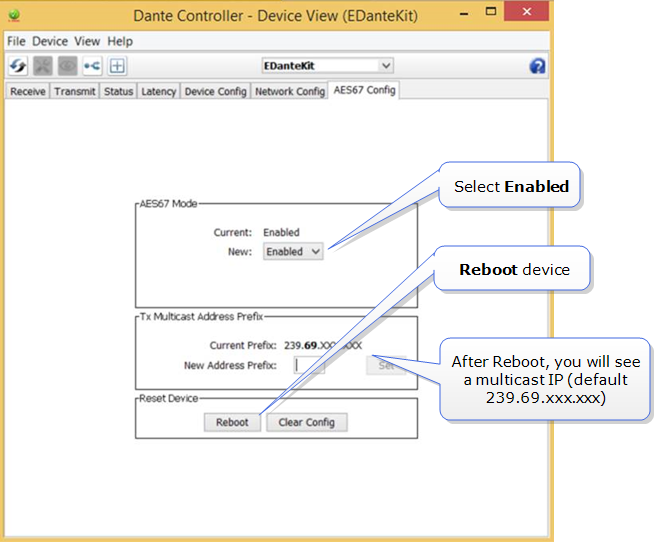
Select the AES67 Config tab and enable AES67 mode. Reboot the device. When the device has rebooted, you will see that a multicast IP address has been allocated to the device.
-
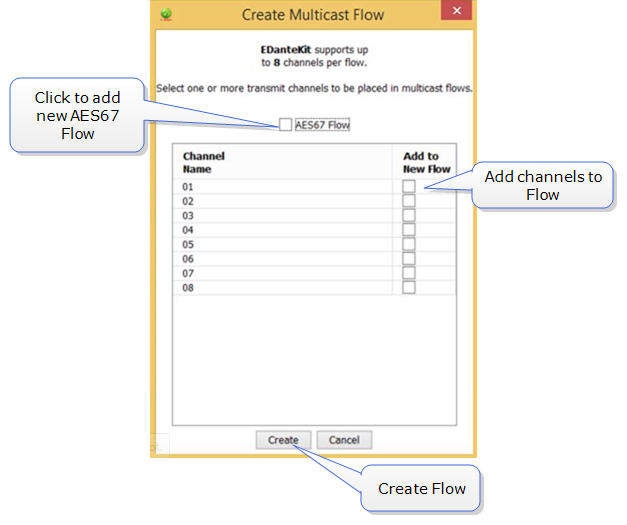
Click the Multicast button

-
Create new AES67 flows as needed.
-
Once Flows are created, they can be seen in Network View>Device>Transmit in the Dante controller.
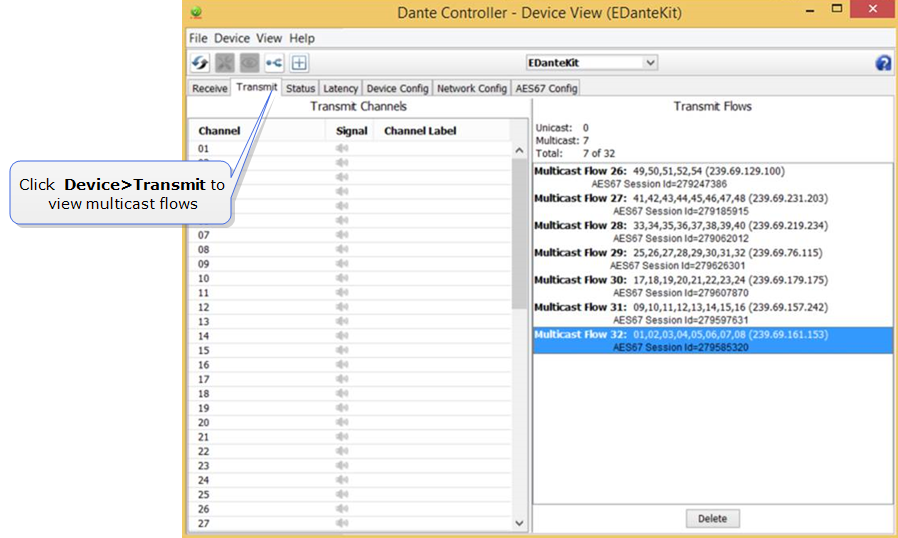
Note: Each flow can contain up to 8 channels. You can create as many flows as you need, depending on the channel capacity of your device.
-
The AES67 device can be seen in the Network View of the controller. It is shown in blue to mark its difference from the devices transmitting Dante channels.
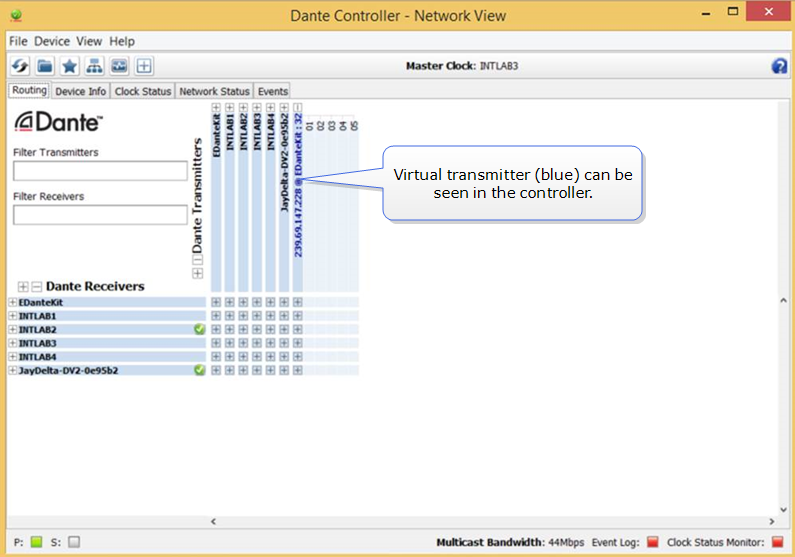
Once available in the Dante interface, AES67 flows can be viewed and subscribed to in the usual way.
If you need more information on creating an AES67 interface, please refer to Audinate and your third-party AES67 device documentation.