Label Exchange Between Dante and Eclipse
Within the Dante network, Dante enabled devices and associated audio channels are identified by names (labels). This contributes to an interface that is easy to read and use. When interfacing an Eclipse system with Dante, you can show the Dante channel names on ports using Auto Alias Updates. This makes redirecting or reconfiguring any networked audio set up much faster and easier.
| Note: | The E-DANTE card uses its own NIC Ethernet port. The IP address of the Ethernet port is set using the Dante controller software. |
Choose from three different Auto Alias Update options:
|
Auto Alias Update option |
Effect on labels seen on panels and in Dynam-EC |
|---|---|
|
Disabled |
Use EHX labels only. |
|
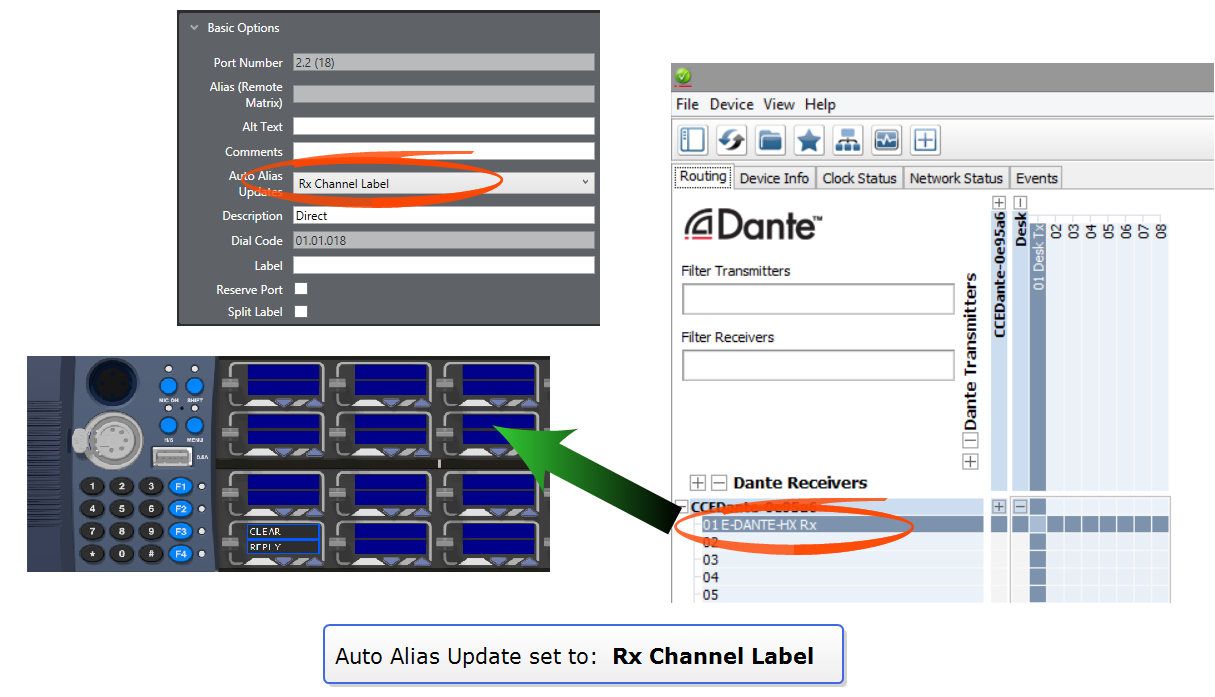
RX Channel Label |
Receive channel labels from Dante are used as the alias for that port. |
|
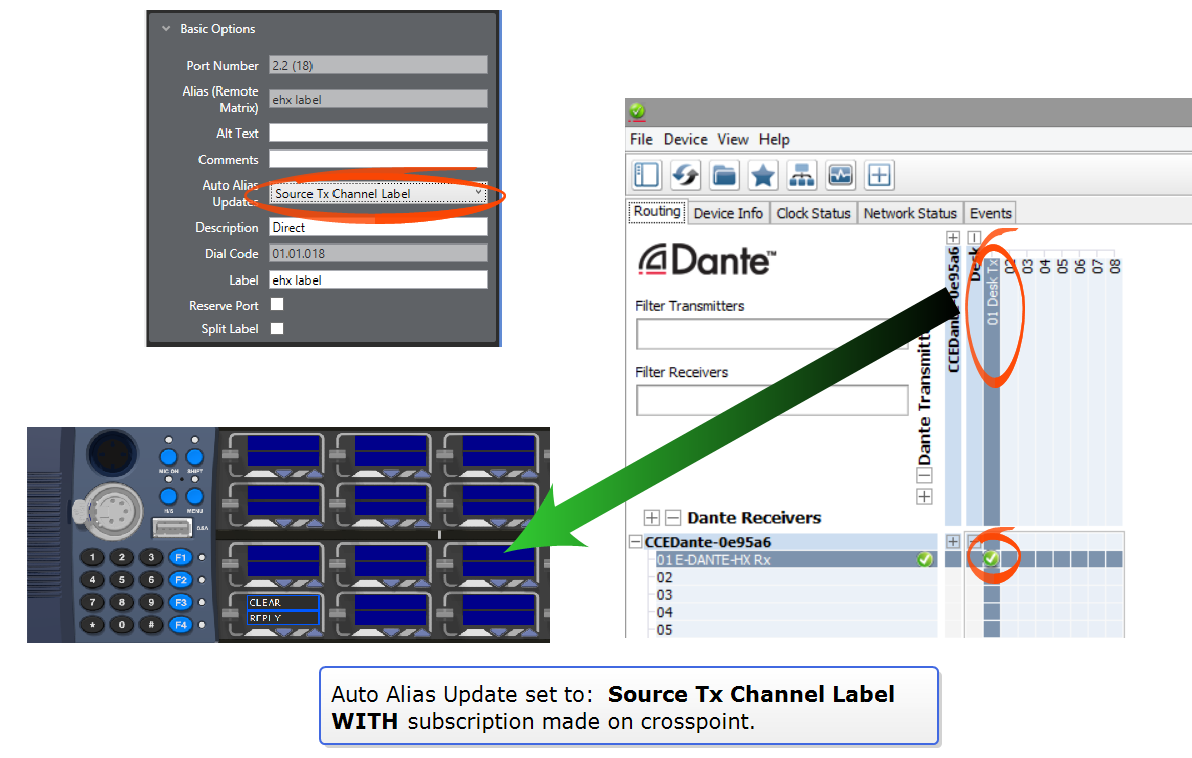
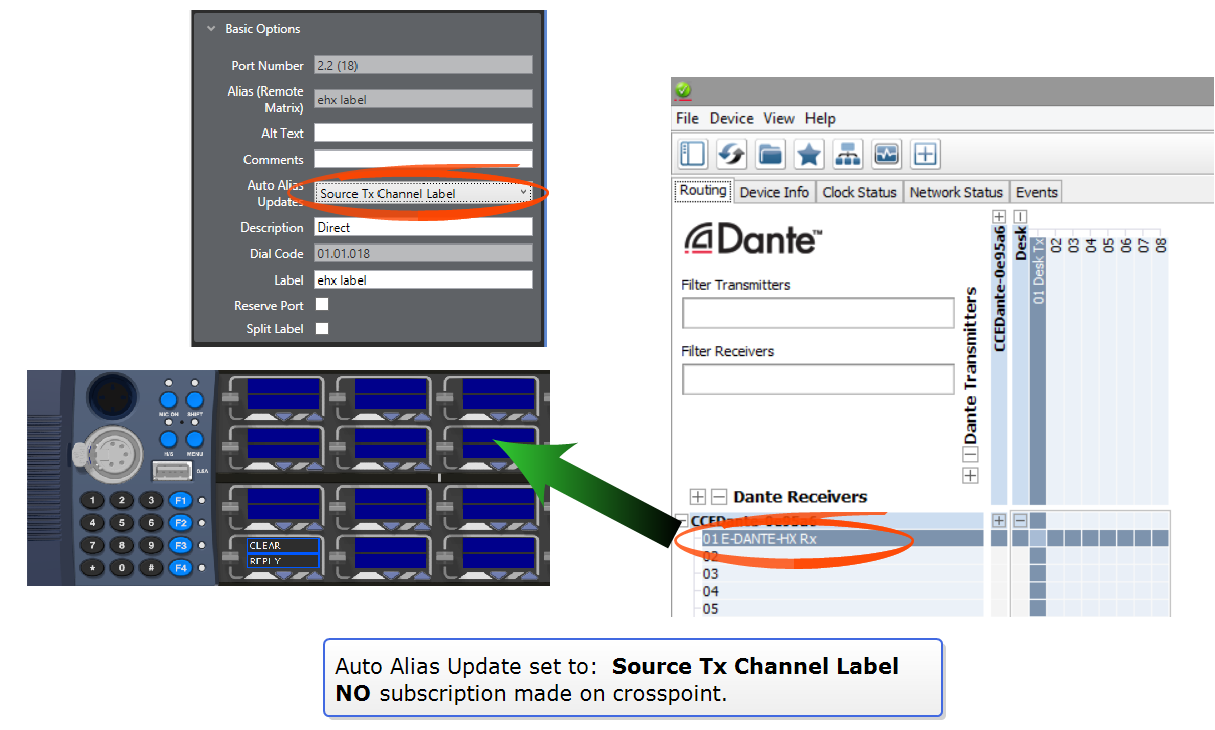
Source Tx Channel Label |
Source transmit channel labels from Dante are used as the alias for that port. If no current subscription is made, the receive channel label is shown. |
Auto Alias Update option set to RX Channel Label:
Auto Alias Update option set to Source Tx Channel Label with audio subscription:
Auto Alias Update set to Source Tx Channel Label, NO audio subscription:
Set Auto Alias Updates to show Dante channel names:
- In the EHX software, navigate to Cards and Ports > E-DANTE64 > Port > Port Properties > Basic Options > Auto Alias Updates.
- Click the small arrow on the right to access drop-down menu and select required option.
- Click Apply Map to Matrix.
| Notes: | Auto Alias Updates only works on ports configured as Directs, Trunk labels will not show Dante labels. |
| Labels in EHX contain a maximum of 10 characters. Dante labels can use up to 30 characters, so only the first 10 characters of the Dante label will be shown in Eclipse. | |
| If a port has a split label then only the listen and forced listen labels are overwritten by the alias. |