Adding an IVC-32 Card (Manual)
To add an IVC-32 card:
-
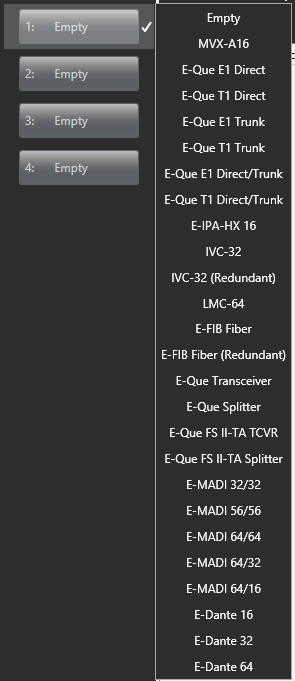
In Hardware > Cards and Ports, navigate to an available slot number (marked Empty). Do either of the following:
-
Double-click the slot.
-
Right-click the slot and select Set Card Type.
- A drop-down menu is displayed, listing the available card types. Select IVC-32 or IVC-32 (Redundant).
| Notes: | The IVC-32 card is a high-power device. For information about how many high-power devices you can install, see System Hardware Limits. |
| An IVC-32 card can be in redundant mode. If you select IVC-32 (Redundant), the card will operate as a redundant card, and you will not be able to configure any ports on this card. |
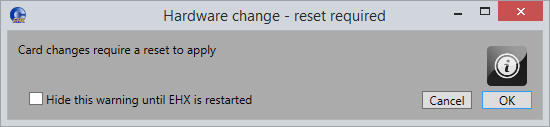
When you add or remove card to the matrix configuration, the following screen might appear unless the Hide this warning until EHX is restarted option has been selected:
-
Click OK to continue.
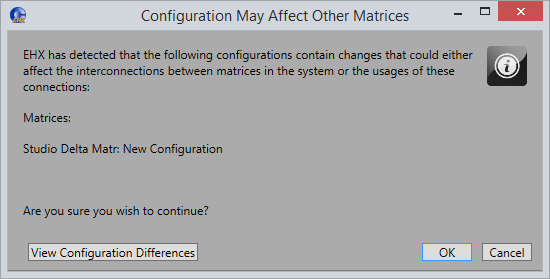
If your configuration contains linked matrices, the following message might appear when you try to apply changes to the matrix:
-
Click View Configuration Differences to see a list of possible interconnection issues.
-
Click OK to continue or Cancel.
-
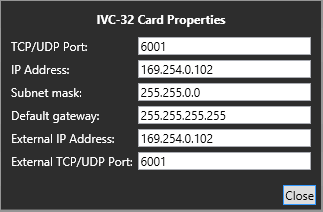
The IVC-32 Card Properties screen appears
-
Do one of the following:
-
To accept the default settings, click Close.
-
Change the edit fields as required, and then click Close.
| Note: | To view and edit the IVC-32 card properties at any time, double click on the IVC-32 Card Slot or right-click and select Card Properties. |