Setting the Management IP from the CCM
To access the CCM, input the Management IP address into a browser. Find the management IP address of the Arcadia in the front panel menu system: Menu>Networking>Management.
-
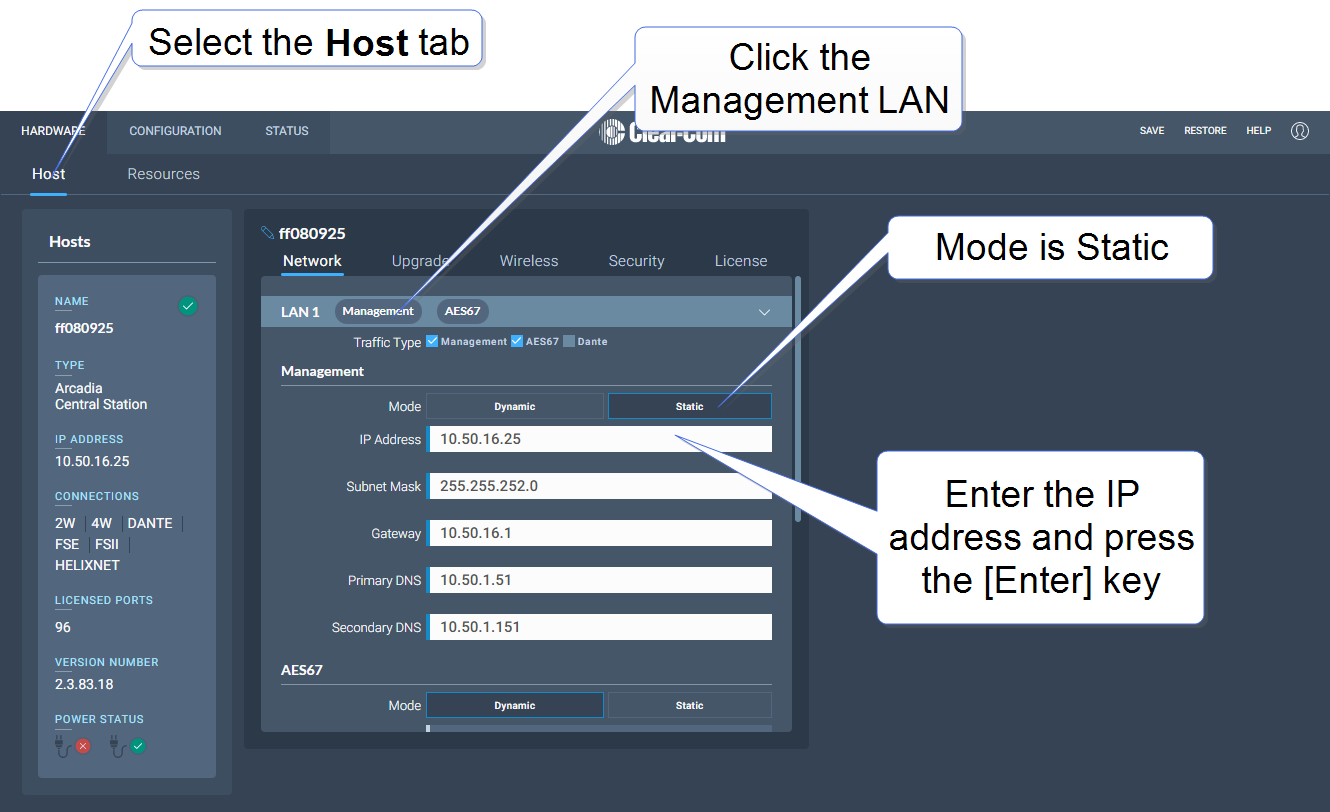
In the CCM, navigate to Hardware >Host.
-
In the Network tab, click Management.
-
Select Static.
-
Enter the required IP address and press the [Enter] key.
-
For more information, see: Arcadia Central Station LAN Configuration Rules.