Managing Roles
Roles are used to contol the audio configuration and other settings for beltpacks and other devices (including the Arcadia Central Base Station).
From the Roles page, you can view, add, edit, clone or delete roles.
When creating roles, roles can be:
When working with FreeSpeak II, a role must be created for each beltpack or device that you use. This relationship is 1:1. If you want the same settings for multiple beltpacks, you may decide to clone an existing role.
When working with HelixNet, a role can be used many times. This relationship is 1:many. In HelixNet, roles are available for: beltpacks, remote stations, speaker stations.
To view roles, navigate to Configuration > Roles. The following screen appears.
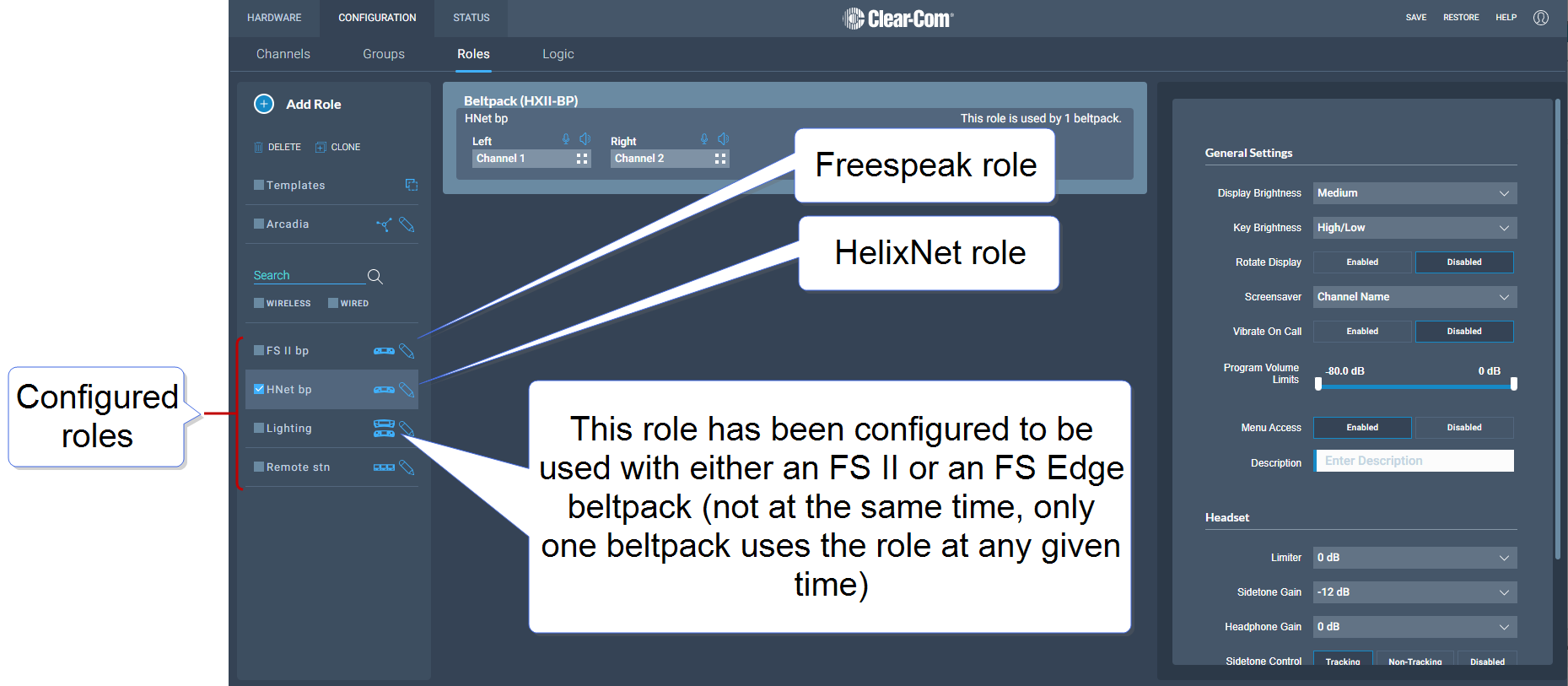
A list of roles appears on the left-hand side of the screen.
When you add roles, a new role is always created from a template role. Template roles are editable. If you edit a template role, any new roles created from it have the edited settings.
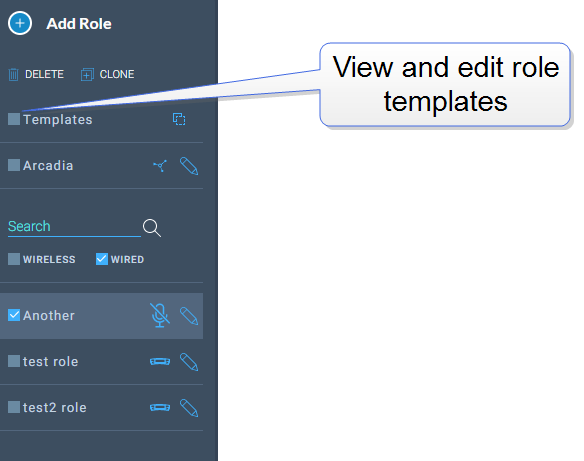
Select a role template to edit the settings.
To reset template roles to default settings, reset the Arcadia Station to factory defaults.
|
Note:
|
The role templates you see depend on which feature licenses you have on the Arcadia Station. |
To add roles:
-
Navigate to Configuration > Roles.
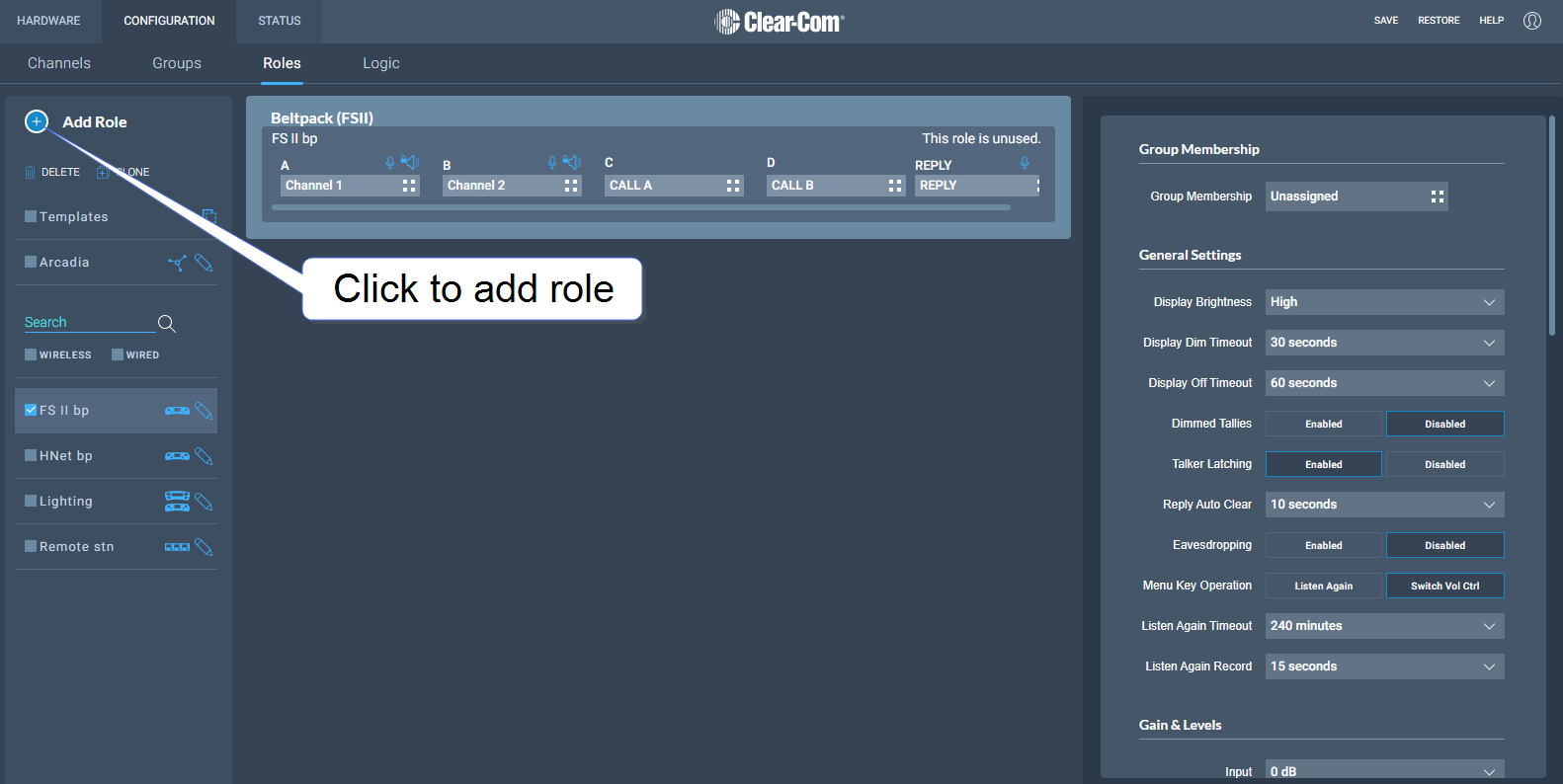
-
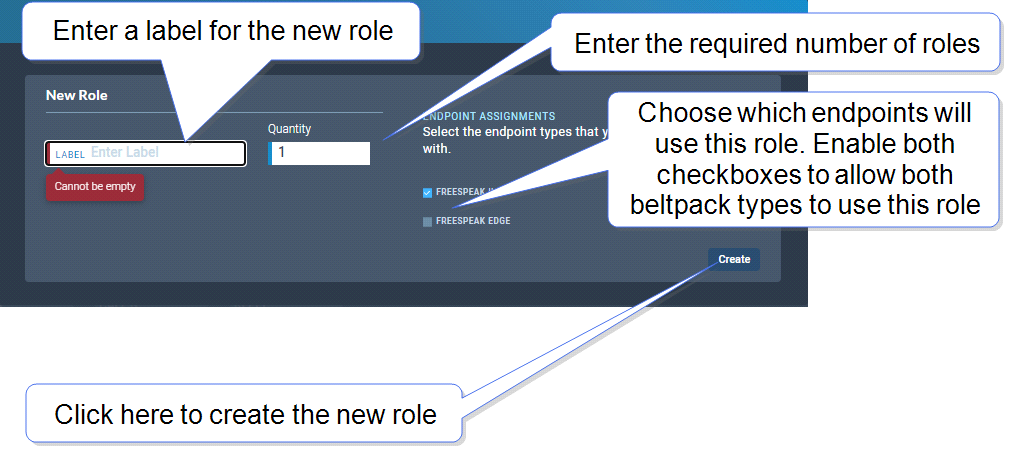
Click Add Roles. The following screen appears.
-
Enter a label for the role, the number of roles required and choose which endpoints will use this role (FS II, FS Edge or both). Only one beltpack can use the role at a given time.
Note: When creating multiple roles, the system will add an incrementing numerical suffix to the role name. Roles names must be unique.
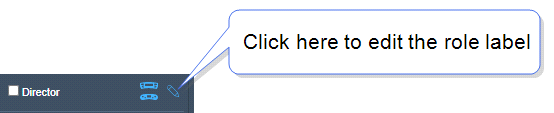
Note: You can also edit the label and endpoint assignments from the icons that appear beside each role in the left-hand side of the screen.
-
Click Create. The new role appears in the list of roles in the left-hand side of the Roles screen.
-
Navigate to Configuration > Roles and select required role on the left of the screen.
-
Click on the small white squares.
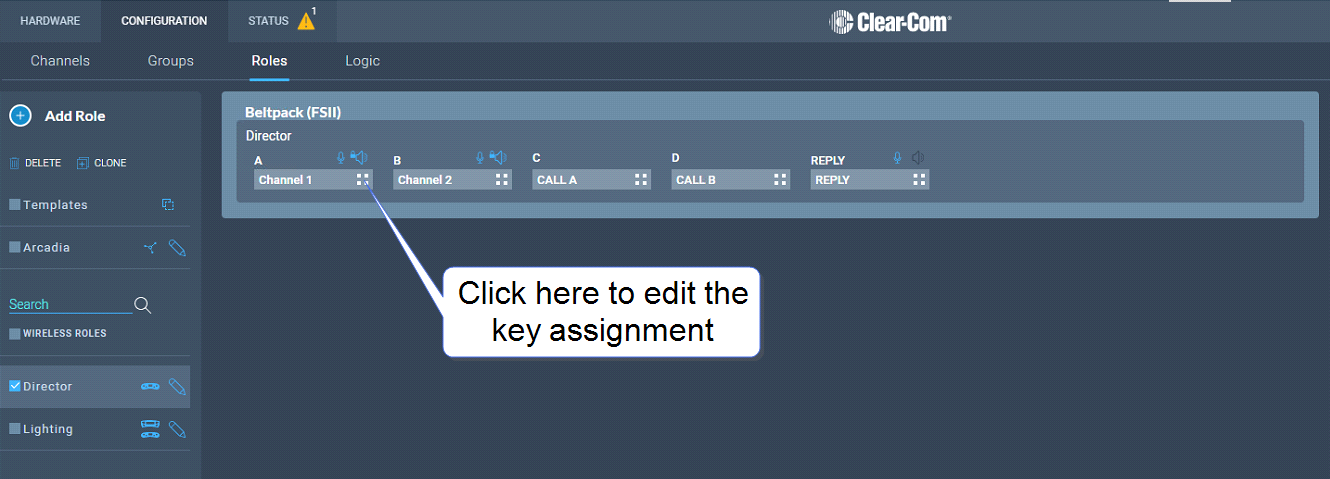
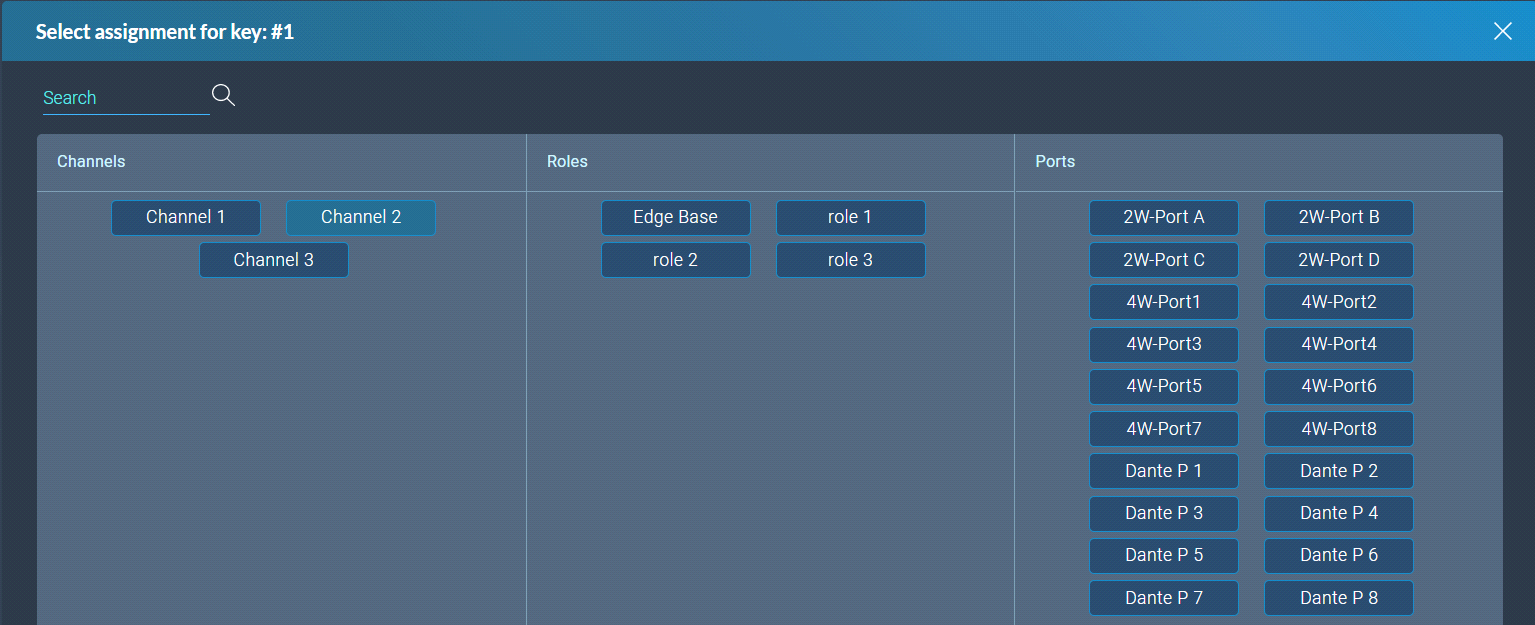
The key assignment screen appears.
-
Click to select the required audio source.
To configure the settings for a role:
-
Navigate to Configuration > Roles, and select the required role from the list of roles in the left-hand side of the screen.
-
From the Settings panel on the right-hand side of the screen, scroll to the required setting.
-
Edit the setting as required.
To clone roles:
-
Navigate to Configuration > Roles, and select the role that you wish to clone from the list of roles in the left-hand side of the screen.
-
Click CLONE.
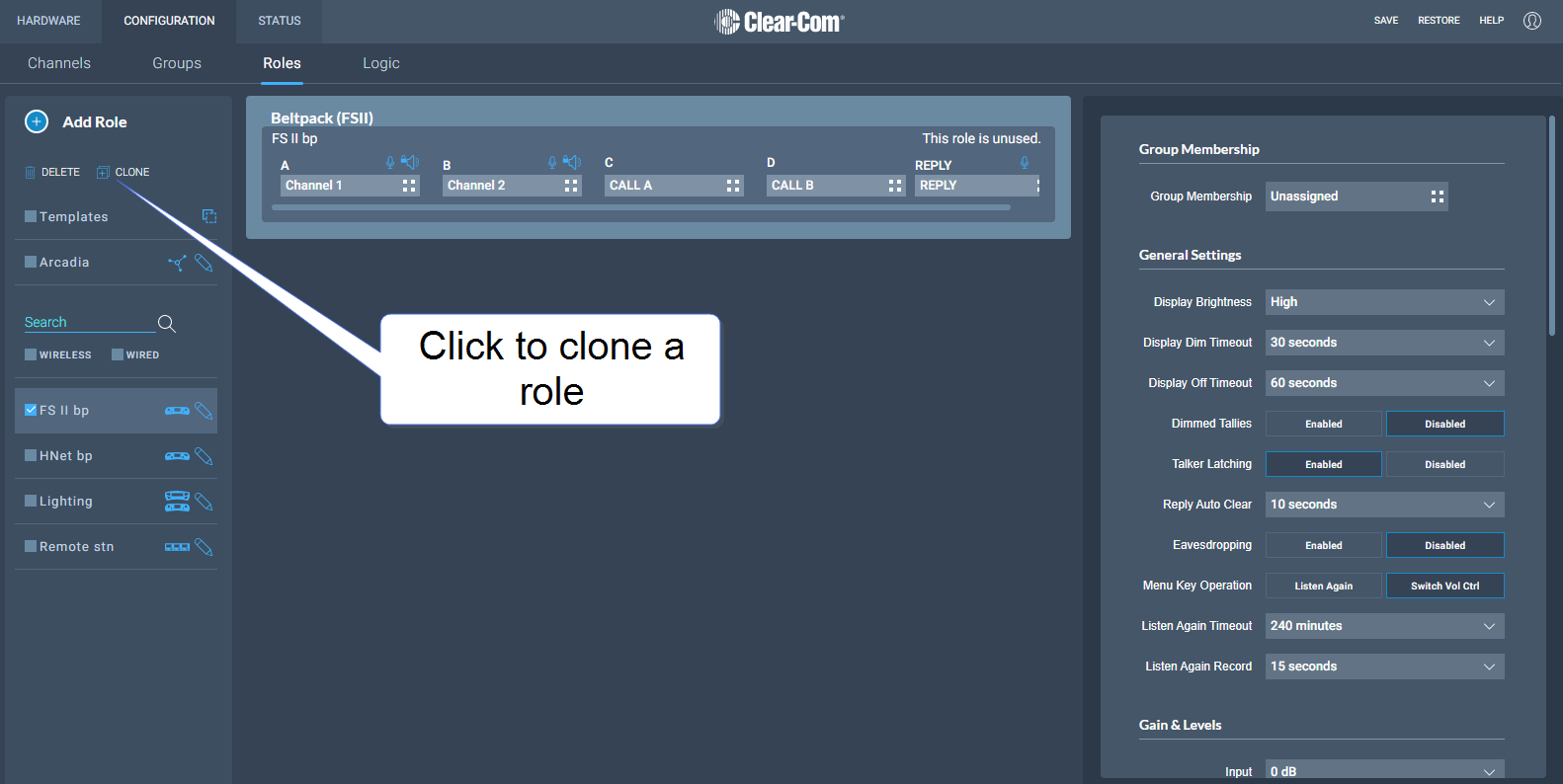
The role is cloned and added to the list of roles in the left-hand side of the screen.
To delete roles:
-
Navigate to Configuration > Roles, and select the role that you wish to delete from the list of roles in the left-hand side of the screen.
-
Click DELETE.
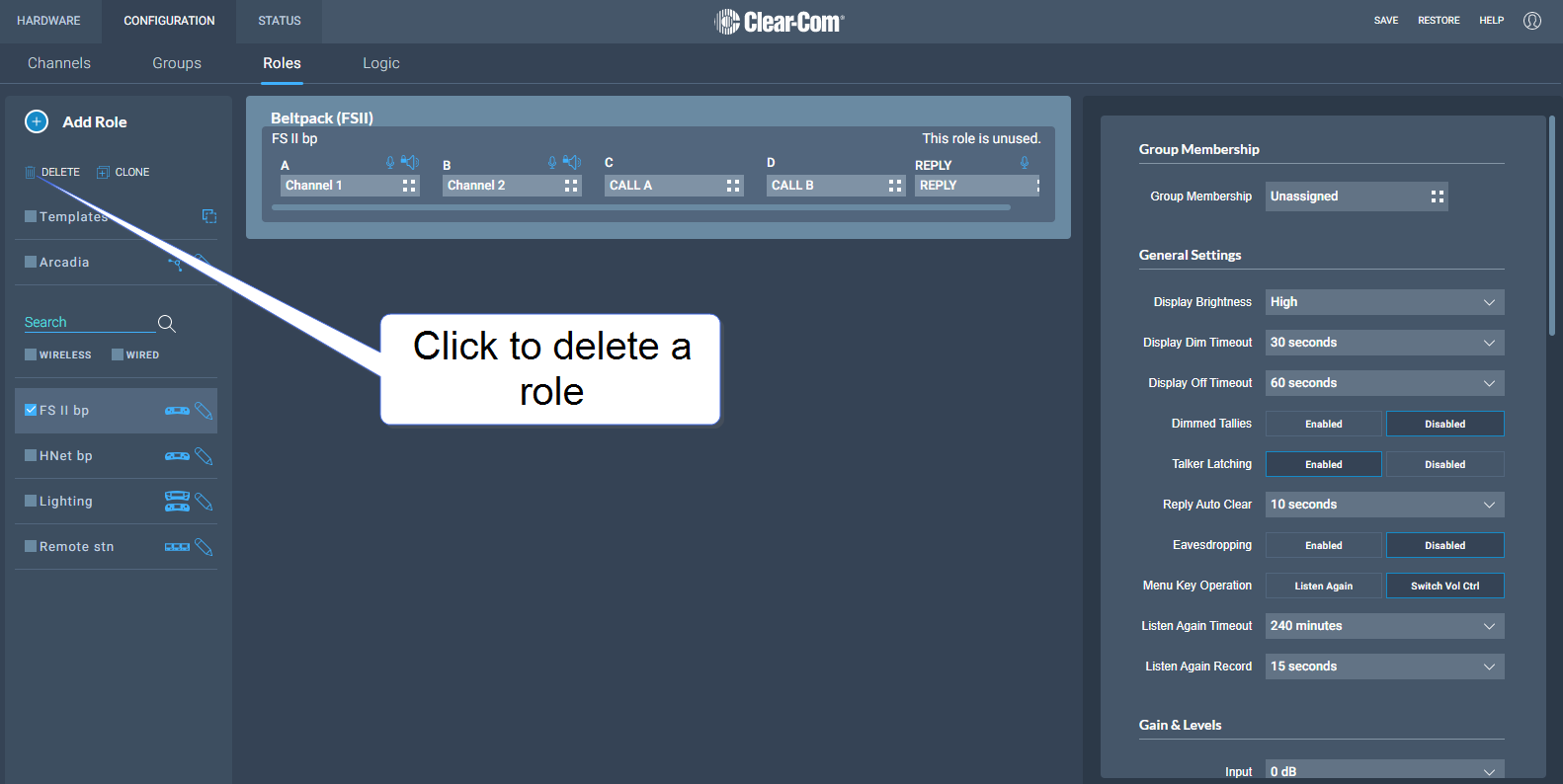
The role is deleted and removed from the list of roles in the left-hand side of the screen.
 Viewing Roles