AES67 Network - PTP Follower Configuration
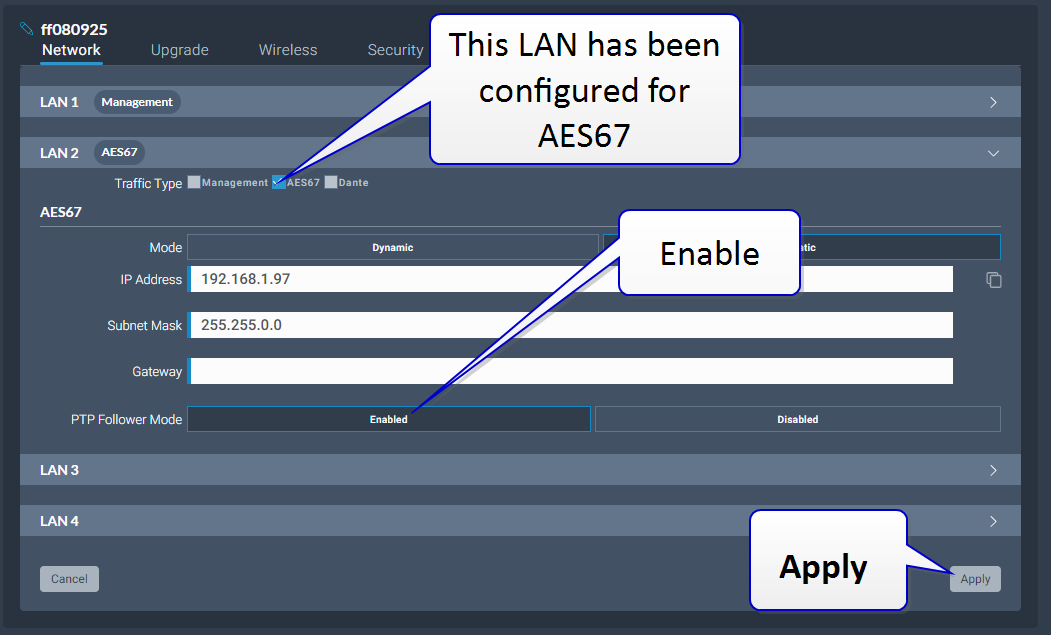
PTP Follower Mode
Enabled: The intercom station is set as PTP Follower
Disabled (default setting): The intercom station is set as PTP Reference, unless there is a PTP Reference on the network with a priority higher than 127
Setting the PTP clocking status of your intercom stations
In the CCM, navigate to : Hardware > Host > Network[select the LAN that has been configured for AES67] > PTP Follower Mode
Select Enabled
Click Apply
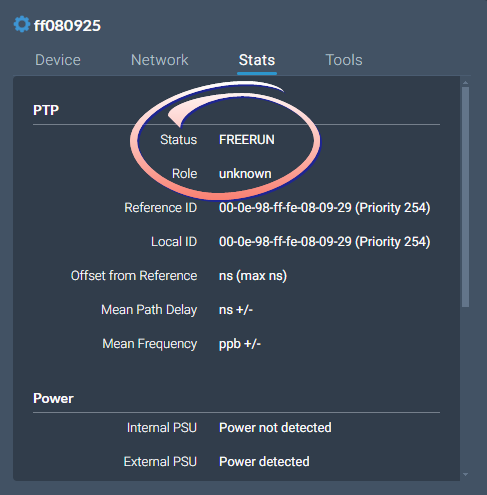
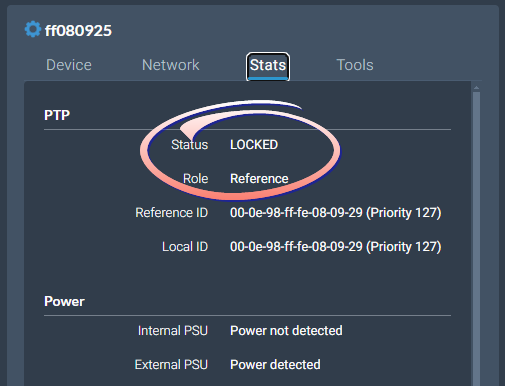
The system will warn you that there must be a Reference clock on your network. While the clock is synchronizing (or if there is no PTP Reference clock on your network) you will see Status FREERUN in the device Stats tab. When the clocks are synchronized, you will see Status LOCKED.
In the CCM navigate to : Status > Overview > Host Device > Stats:
 |  |
For information and history, also look in the event log: Status > Event Log.