Upgrading
To upgrade the Arcadia and connected resources:
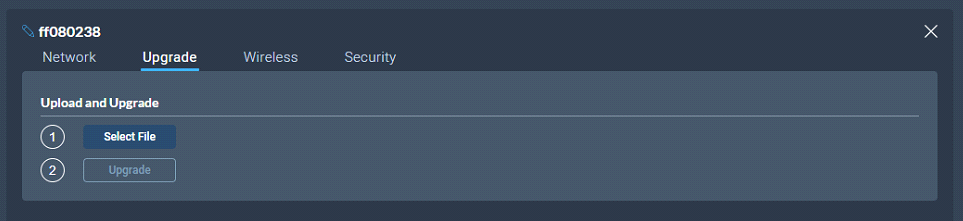
Select the Upgrade tab.
Select File then navigate to where the upgrade file is stored on your computer.
Select the file and when the Upgrade button lights, click it. This begins the upgrade process.
| Note: | Arcadia validates firmware versions to internal hardware. In some instances, Arcadia and its components cannot be downgraded. In these instances use a newer firmware version. |
In the CCM, navigate to Hardware > Hosts > Upgrade.
Press Select File and select the file containing the updated firmware.
When the file is uploaded, the Upgrade button will be enabled.
Press the Upgrade button.
The upgrade process will start and the Arcadia will reboot before being available again.
The new version of the firmware will be displayed in the Hosts panel.
Copy the firmware file onto a USB stick. The file must be at the top level of the USB drive, not within any folders.
Insert the USB into the USB port on the front of the Arcadia.
Press the Menu button.
Using the rotary controllers, navigate to Administration > Software > Update.
The display will show the available firmware files stored on the USB. Select the one you require.
Press the 4th rotary encoder. The unit will upgrade and then reboot.
To check the current firmware version, in the menu system navigate to Administration > Software > Current. The current software version is displayed in the 4th menu screen.
 Upgrading using the CCM